




Every video you upload to YouTube builds someone else’s business. The audience, the subscriber data, and the search visibility all live on Google’s turf, and YouTube keeps 45% of long-form ad revenue for the privilege.
Ezoic’s Open.Video offers publishers a different deal.
Host your video channel on your own domain, and let it do what the rest of your site already does: rank in search, drive traffic, build engagement, capture real subscriber data, and generate revenue that stays yours entirely.
Videos live on your own URLs, with SEO-optimized watch pages, a branded channel hub, and real subscriber emails you can take straight to your newsletter or CRM. It’s free, takes 0% of your ad revenue, and lets you monetize from the first view. Think of it as what WordPress did for blogging, now applied to video.
2026 brought a meaningful update too, including vertical video support and a new MCP integration for managing your channel through an AI client (both covered in detail below).
In this review, we walk through what Open.Video offers, how its pricing compares with YouTube, and where it still falls short, so you can decide whether it belongs in your video strategy.
What is Open.Video?
Open.Video is Ezoic’s video hosting and monetization platform, built for publishers (anyone running their own site who wants video to work the way the rest of their content does).
Where YouTube is a platform with its own audience, its own algorithm, and its own rules about how (and whether) you get paid, Open.Video works the other way around: it’s infrastructure that runs on a publisher’s own domain, not a separate site publishers have to send traffic to.
That distinction matters more than it sounds.
A conventional video-hosting platform owns the relationship with the viewer: the subscribe button, the comments, the watch history, and ultimately, the split on ad revenue. A publisher uploading to YouTube is, in effect, renting space on someone else’s platform and building someone else’s audience in the process.
Open.Video flips that arrangement.
The video lives at a URL on the publisher’s own site, the watch page is built to rank in Google the same way any other page would, and the person who “subscribes” hands over an actual email address rather than an anonymous platform follow.
For publishers, that’s the real pitch: video becomes an owned asset on the site’s own domain, contributing to the same SEO, engagement, and monetization metrics as the rest of the content, instead of living as a separate, disconnected channel that happens to link back.
Open.Video automatically generates SEO-optimized channel pages and individual watch pages that live on the publisher’s site. Each page is optimized to meet Google’s requirements for video search visibility, helping publishers win video thumbnails and placements directly in SERPs.
Publishers can also capture first-party subscriber data (actual emails they can add to their newsletters or CRM systems) instead of anonymous YouTube “subscribers.” They can brand their channels, control video layouts, and decide how (or whether) to monetize with programmatic ads.
What’s New in Open.Video in 2026?
Two additions define the recent update to Open.Video, and they solve very different problems.
Vertical Videos and Shorts
Vertical video and Shorts bring a swipe-through, full-screen feed to Open.Video. This is the same short-form format YouTube Shorts, Reels, and TikTok have trained audiences into, except it now runs on the publisher’s own domain instead of a platform they don’t control.
It ships with shoppable product stickers and on-domain likes and comments, so engagement and even direct sales can happen without sending the viewer anywhere else.
How it works:
Getting a Short live takes three steps in the dashboard. Open the Shorts tab in the dashboard and choose how you want to upload your vertical video.
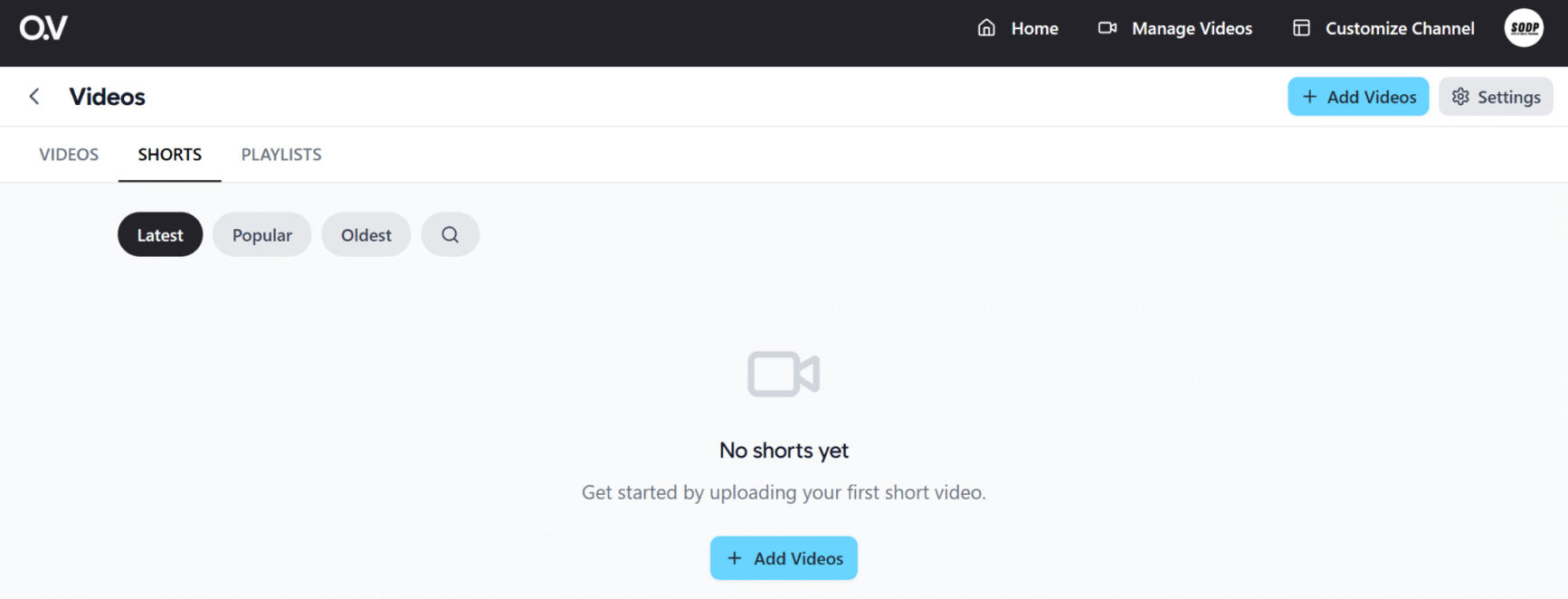
Open.Video Shorts tab
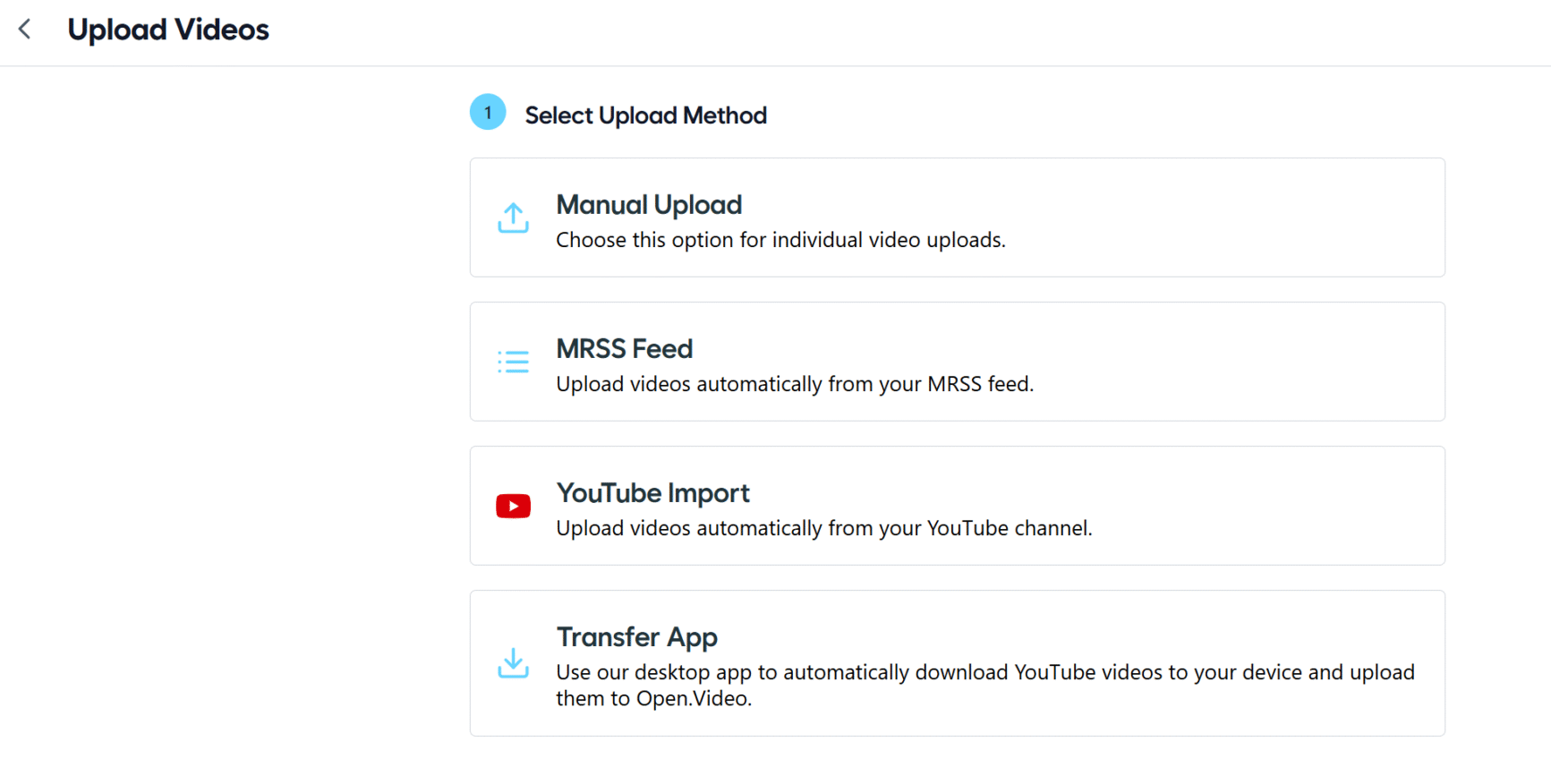
Open.Video Shorts tab: selecting an upload method
Upload your video file and fill in the relevant details: title, description, category, keywords, and a thumbnail.
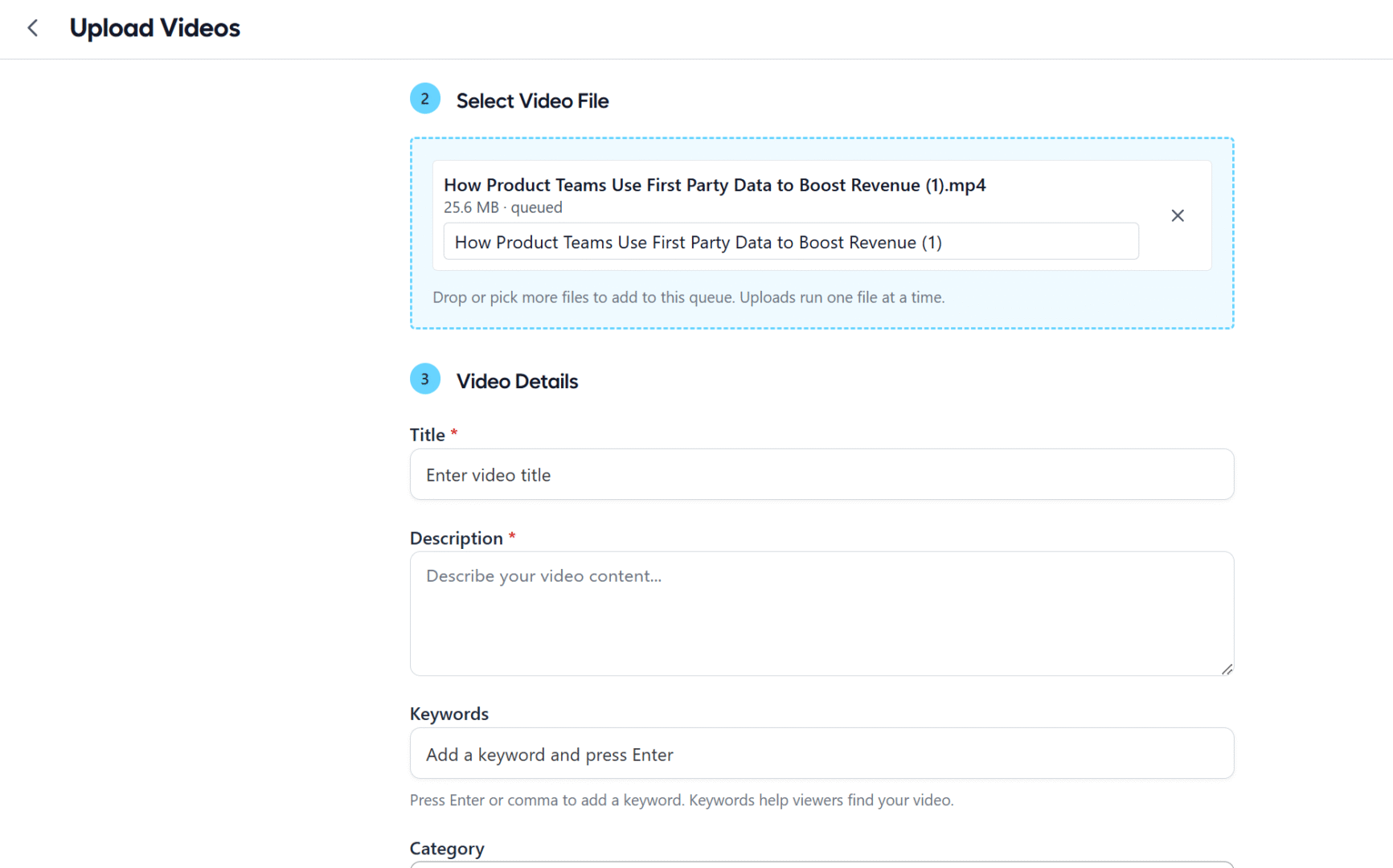
Upload form for a vertical video, with title, description, and thumbnail fields
Click “Upload.” The video takes a little time to process, but it shows up in the video library right away, so there’s no guessing whether the upload went through.
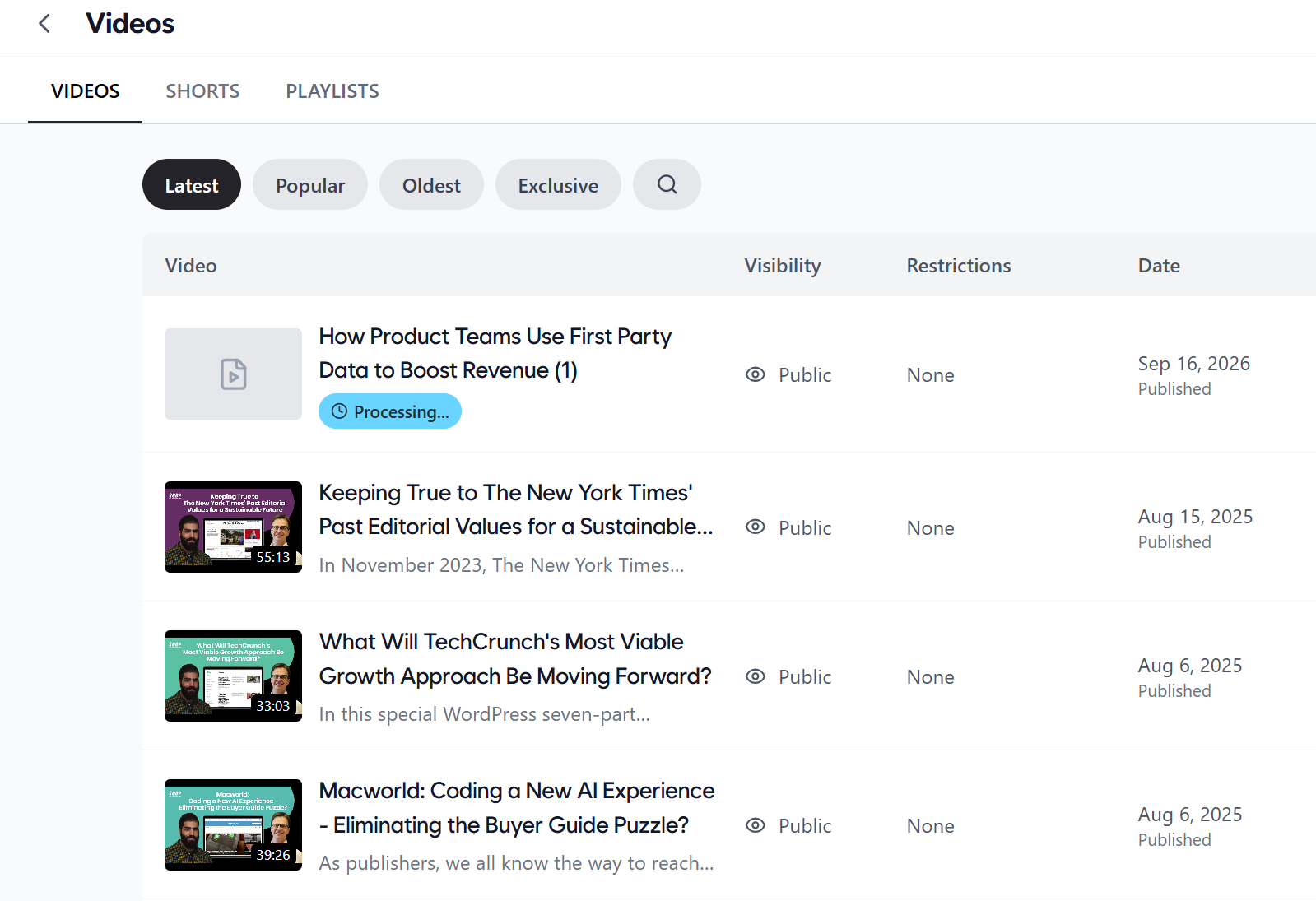
Video library showing a newly uploaded Short
Distribution is just as simple: create a playlist in the Open.Video dashboard, then grab the embed code from the vertical feed embed page and drop it on any page. One embed publishes the whole swipeable feed, so there’s no need to hand-place individual Shorts.
Why it matters: For publishers who’ve built an audience on Reels or TikTok Shorts but never had a way to bring that format home, this is the first practical answer Open.Video has offered: a short-form feed audiences already know how to use, on a channel the publisher actually owns, with two details that go beyond a copy-paste of the TikTok format:
- Product stickers turn any Short into a lightweight storefront. For publishers already doing affiliate or commerce content, this closes the gap between “watch” and “buy” without sending the viewer anywhere else.
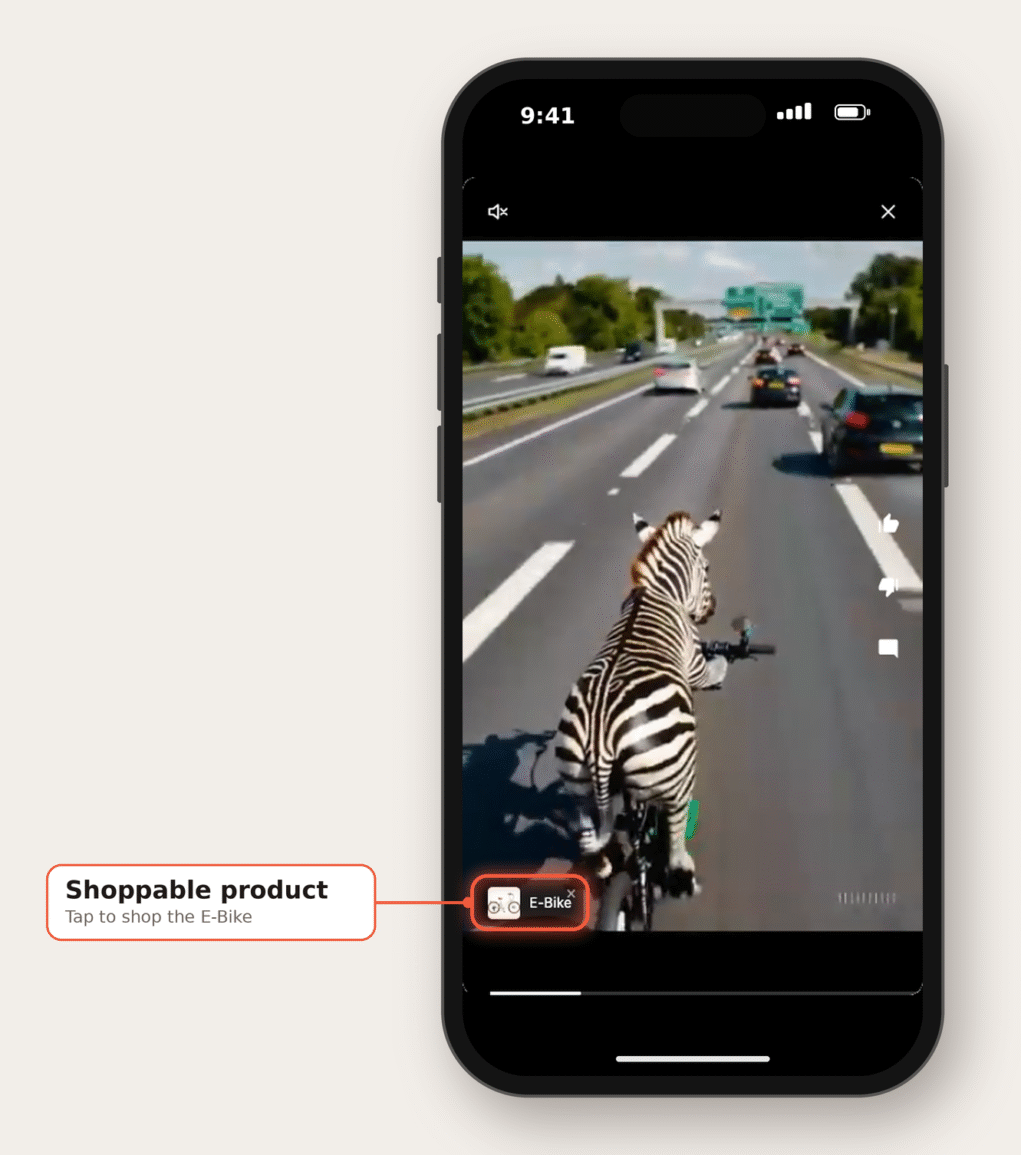
Example of a product sticker in Shorts
- On-domain engagement means likes and comments happen on the publisher’s site, not inside someone else’s app. The engagement data and the relationship with the viewer belong to them.
See Guinness World Records Shorts feed for an example of the format in use.
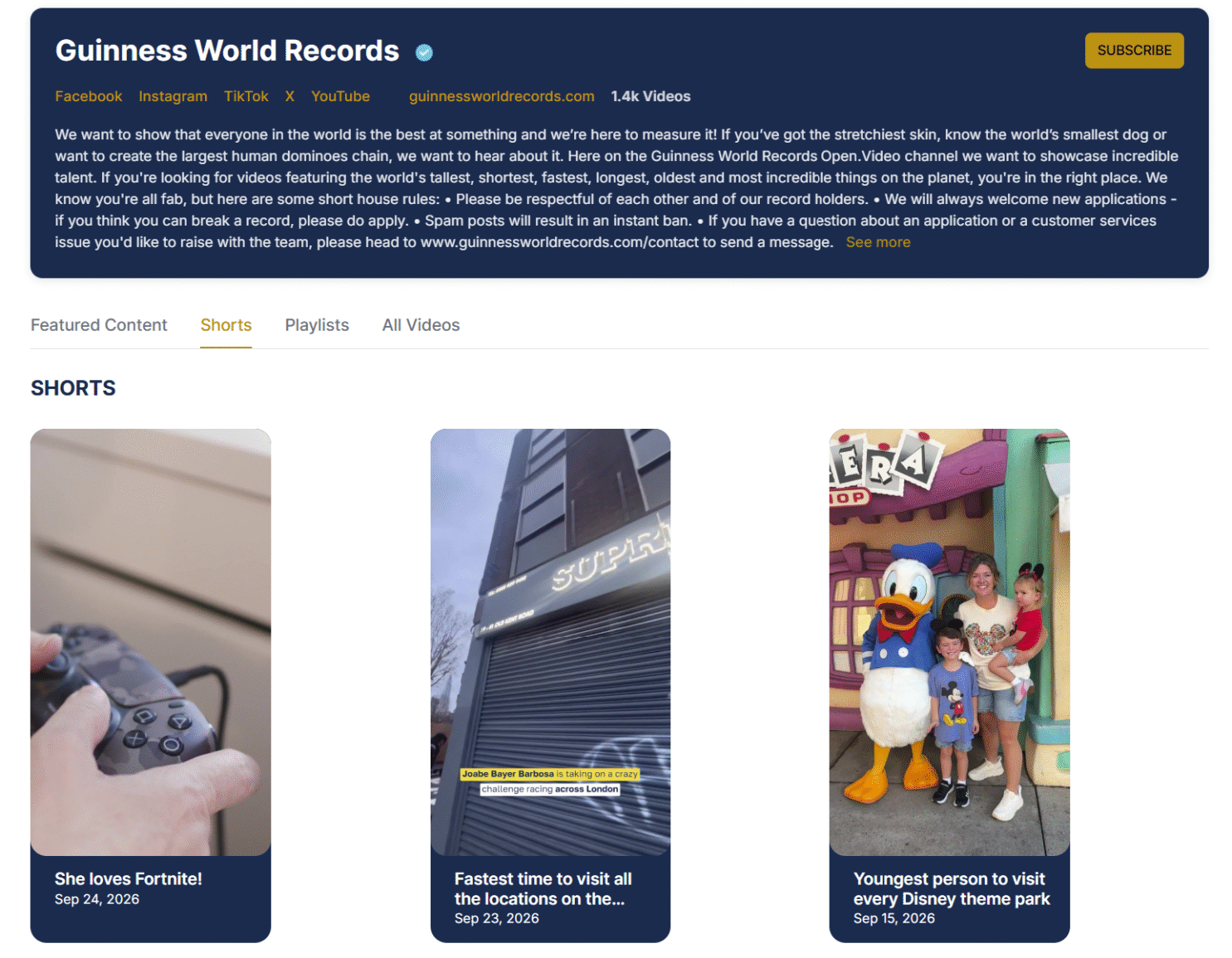
Guinness World Records Shorts feed
Open.Video MCP for AI Agents
An MCP server for Open.Video turns AI clients like Claude or Cursor into channel operators.
Instead of logging into the platform’s dashboard to upload a video, fix metadata, or check performance, publishers can now hand that work to an AI assistant and just ask for it in plain language.
Claude prompt mockups: operate an Open.Video channel directly through the AI agent
A publisher might ask their AI agent to “Upload [file name], title it [suggested title], and publish it.”
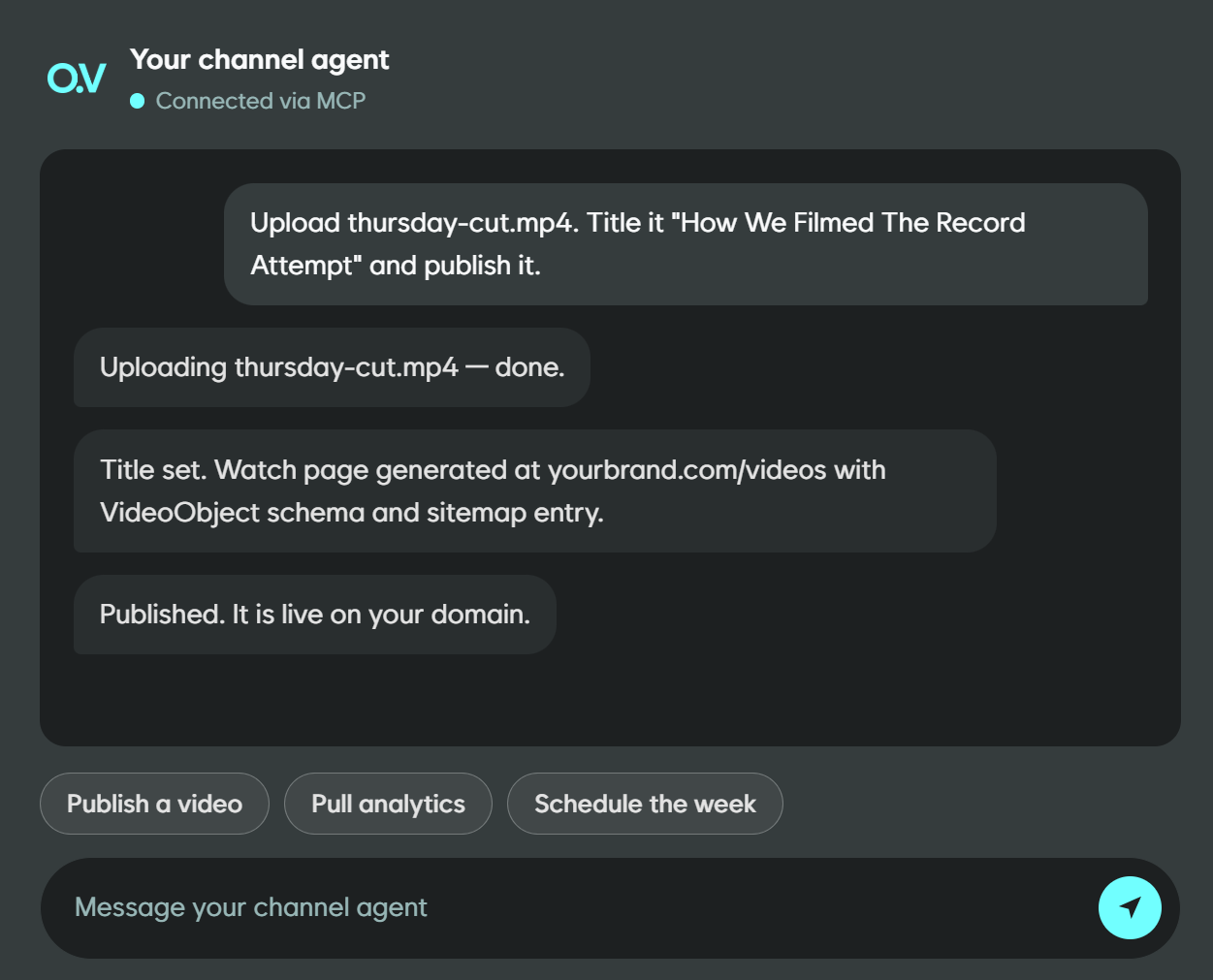
Or, for a faster performance check: “Pull last week’s top-performing videos with engagement numbers.”
What it connects to: Once connected, an AI client gets access to four areas of the platform, 16 tools in total:
- Videos: Upload local files, link external URLs, generate embed codes, edit titles/descriptions/tags, delete or list videos
- Channels: List and view channel details, update channel settings, upload branding images
- Analytics: Pull views, engagement, and performance data; check a video’s processing and publishing status
- Playlists: Create playlists, reorder them, add videos, list what’s live
Ezoic has framed this as a growing set, so expect the tool list to expand.
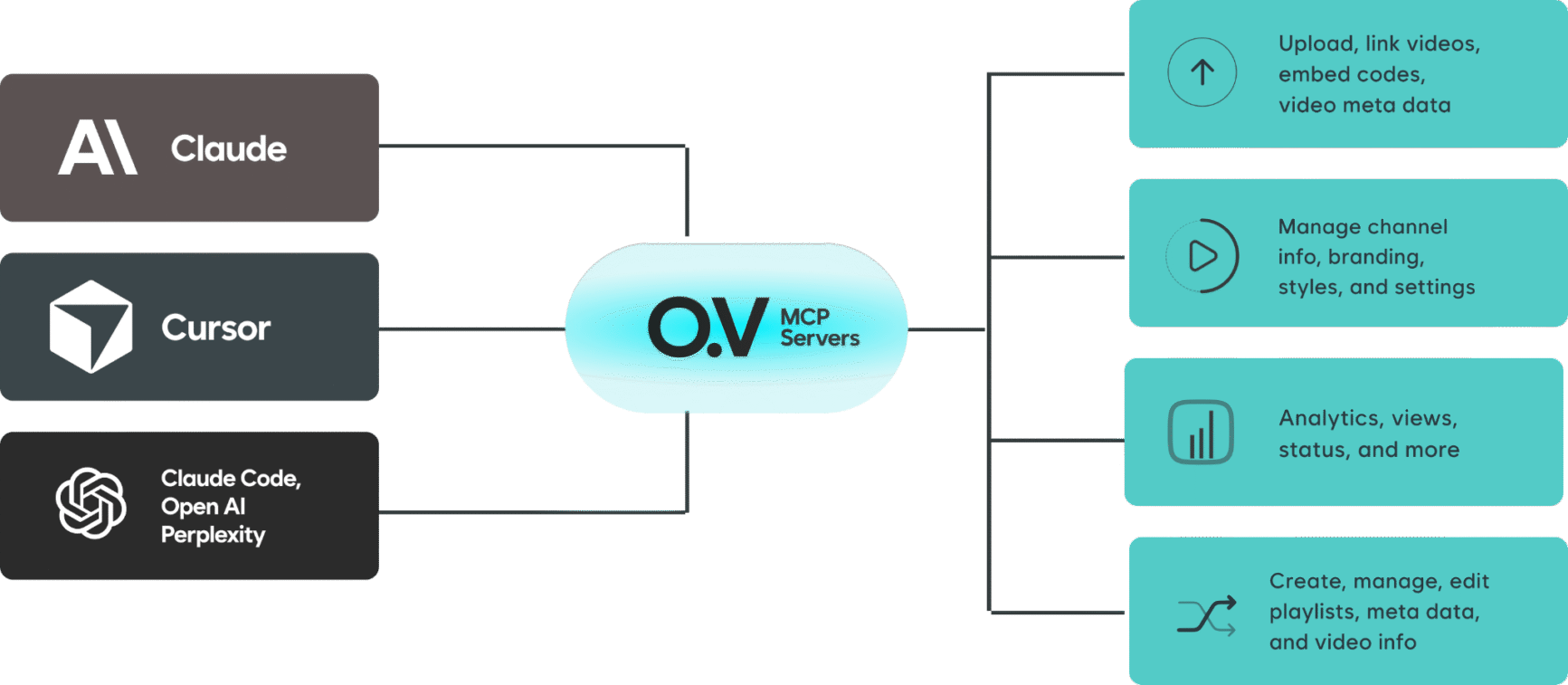
Open.Video MCP integrations
Setting it up: Connecting takes a few minutes and doesn’t require touching an API key.
Authentication runs through OAuth (a browser sign-in with scoped tokens), and the server is remotely hosted, so there’s nothing to install. You just add a JSON snippet to your MCP configuration.
For Claude, Cursor, Claude Code, or Windsurf, that looks like:
{ "mcpServers": { "open-video": { "url": "https://mcp.open.video/mcp" } }}To upload local video files (rather than just linking hosted URLs), you’ll need a second, small local helper to run alongside it:
{ "mcpServers": { "open-video": { "url": "https://mcp.open.video/mcp" }, "open-video-upload": { "command": "npx", "args": ["-y", "open-video-upload-helper"] } }}From there, calling list_channels in the AI client confirms the connection and walks you through sign-in. No server to host, no key to rotate; the heavy lifting is remote.
Open.Video also offers a downloadable skill file for Open.Video, which is different from the MCP server itself. You can upload this knowledge file directly into Claude, ChatGPT, Gemini, or Perplexity so the model already understands how to use Open.Video’s features, even before you connect anything.
It’s a useful tool if you want your AI client to “know” the platform going in.
What this looks like in practice: The dashboard is built for one video, one task, one click at a time. MCP is built for batches, and for “handle this while I do something else,” which is where the real time savings show up.
- Bulk metadata cleanup: Pull the full library or a specific section (everything published before a certain date), and rewrite metadata across all of them in one pass.
A publisher cleaning up a legacy YouTube import, where titles and descriptions were never optimized for on-site SEO, could hand over a style guide and let the agent apply it consistently instead of doing it video by video.
- Weekly or monthly reporting, without the export-and-format step: Ask directly for “top 5 videos by watch time this week, plus anything with an unusual drop in views” and get a written summary back. This will be ready to paste into a Slack update or a stakeholder email.
- Publishing from a single prompt: A typical publishing flow involves four to five steps: link the video, write the title and description, tag it, and add it to a playlist. Through MCP, it’s just one instruction/prompt to replace multiple steps.
- Multi-channel housekeeping: Publishers running more than one Open.Video channel can check status or update branding consistently across channels, rather than repeatedly switching context in the dashboard.
- Combining it with other tools: MCP clients can typically connect to more than one server at once. So, an agent with both Open.Video and a Slack connector could plausibly pull analytics from Open.Video and post the summary directly to a team channel on Slack, without a human relaying data by hand.
Where it doesn’t reach yet: Ad break placement, layout customization, and player branding still live in the dashboard only. The current tool list is focused on the video, channel, analytics, and playlist operations publishers do most often and repeatedly, not the creative or monetization-configuration side of the platform.
Open.Video MCP is a useful addition for the repetitive, data-heavy parts of running a channel, not a replacement for the dashboard.
Paywall Feature
Open.Video now gives publishers a built-in paywall, allowing creators to earn directly from their video content, not just from ads.
Publishers can put some or all of their catalog behind a subscription or a one-time purchase, offer free registration as an audience-building step, or mix all three across the same channel.
Pricing, payment processing, and access enforcement are all handled by the platform, and viewers unlock content without ever leaving the channel page.
Every video and playlist on Open.Video has one of three access settings:
- Public: anyone can watch
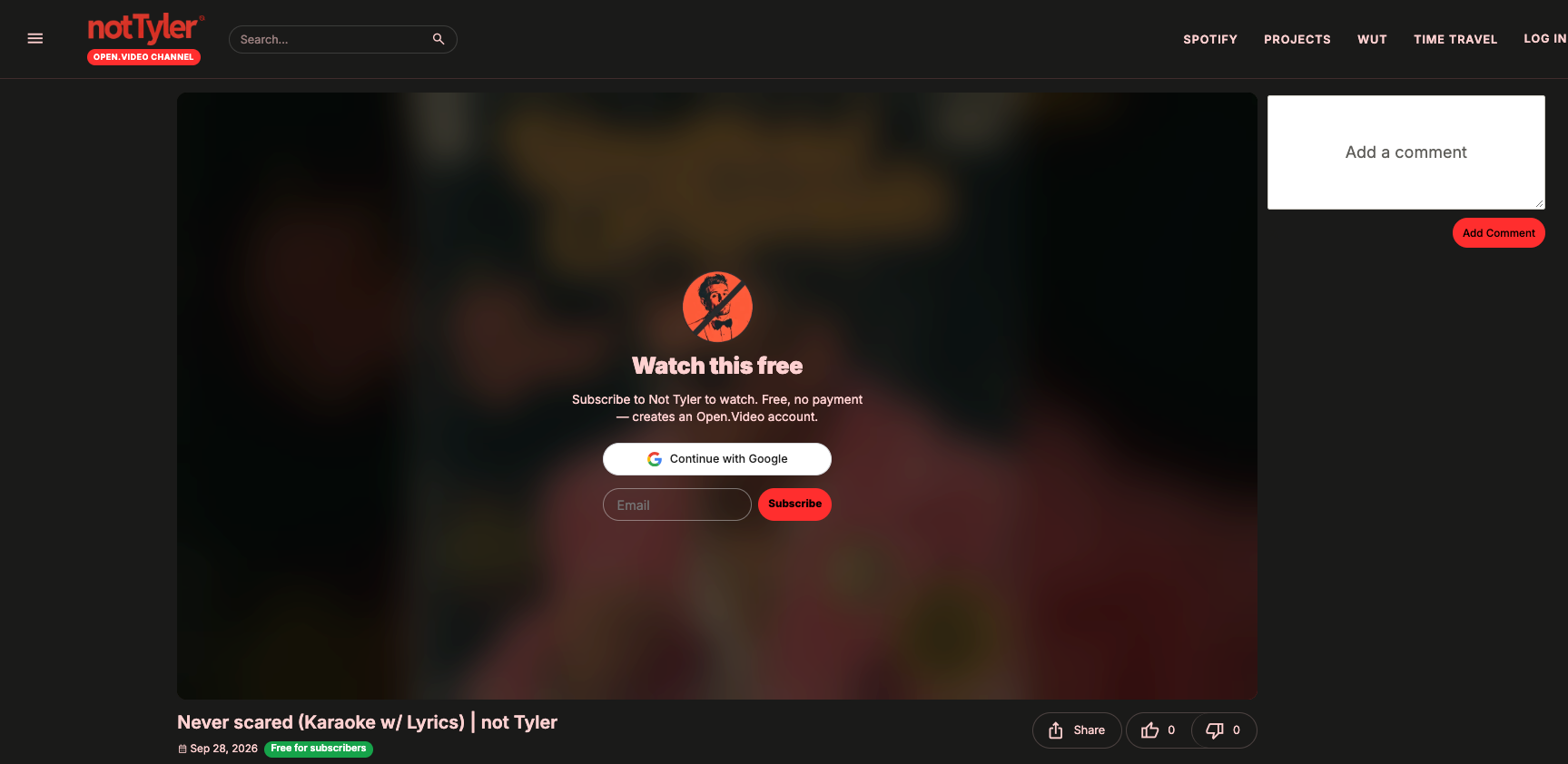
- Free for subscribers: anyone with a free Open.Video account who follows the channel can watch. This tier lets publishers build an audience and capture registered viewers without charging.
- Exclusive (paid): only paying viewers can watch
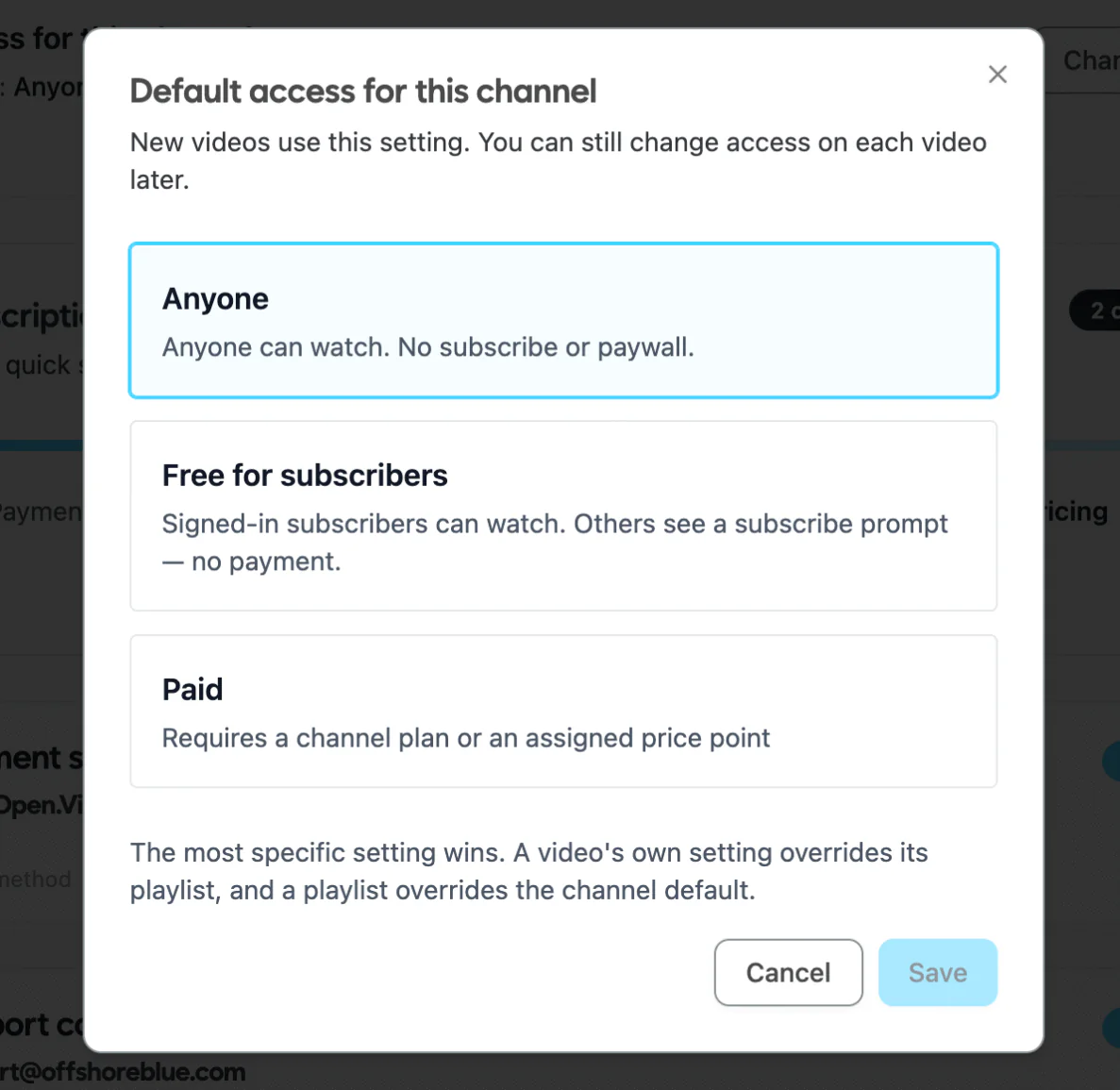
Channel access options with Open.Video’s paywall feature
As a publisher, you can go to your Dashboard > Access & Pricing to access these settings.
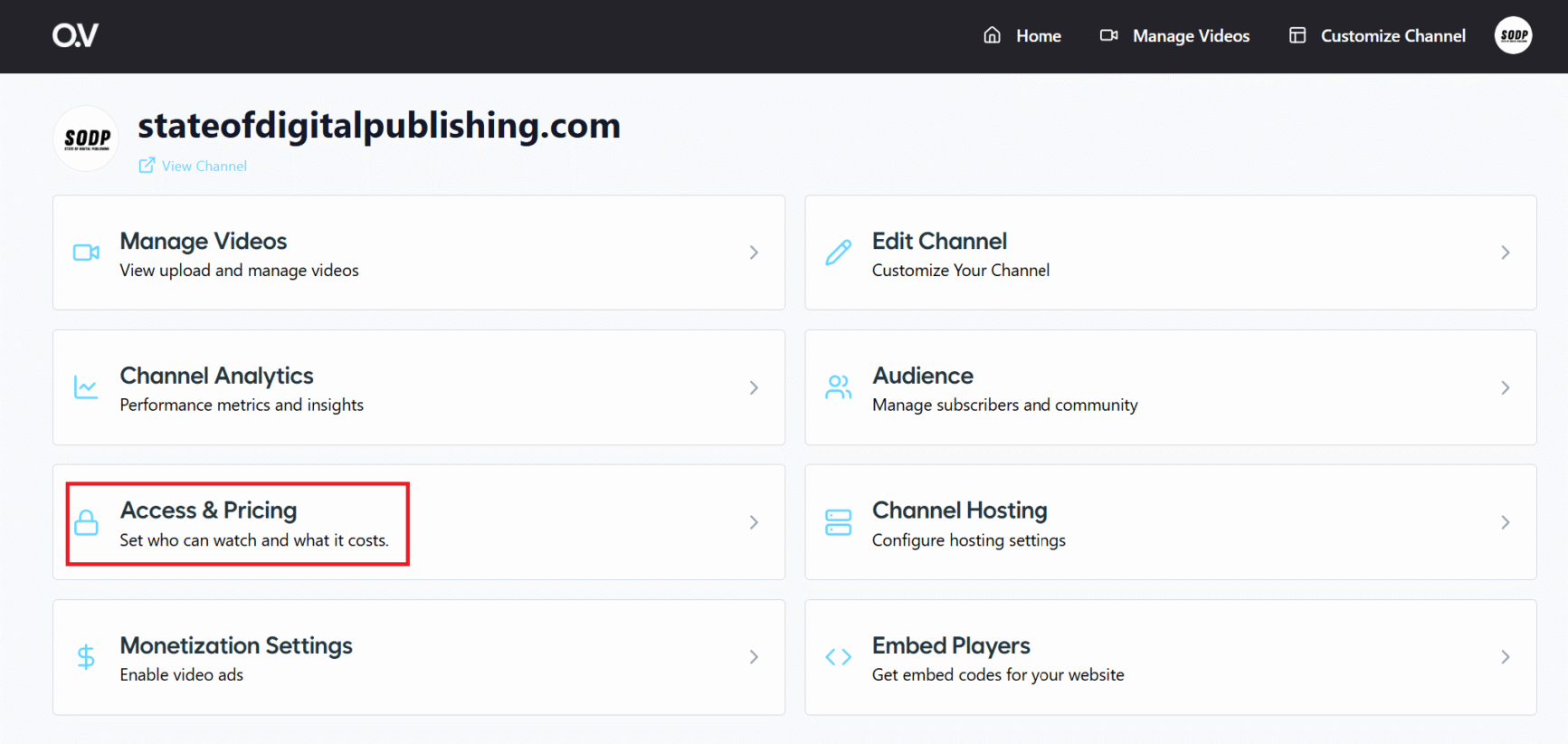
Access & Pricing settings in Open.Video dashboard
Monetization is built into the platform (Stripe-backed), so creators never build or host their own checkout. You can use Open.Video to manage Stripe payments, or link your own Stripe account.
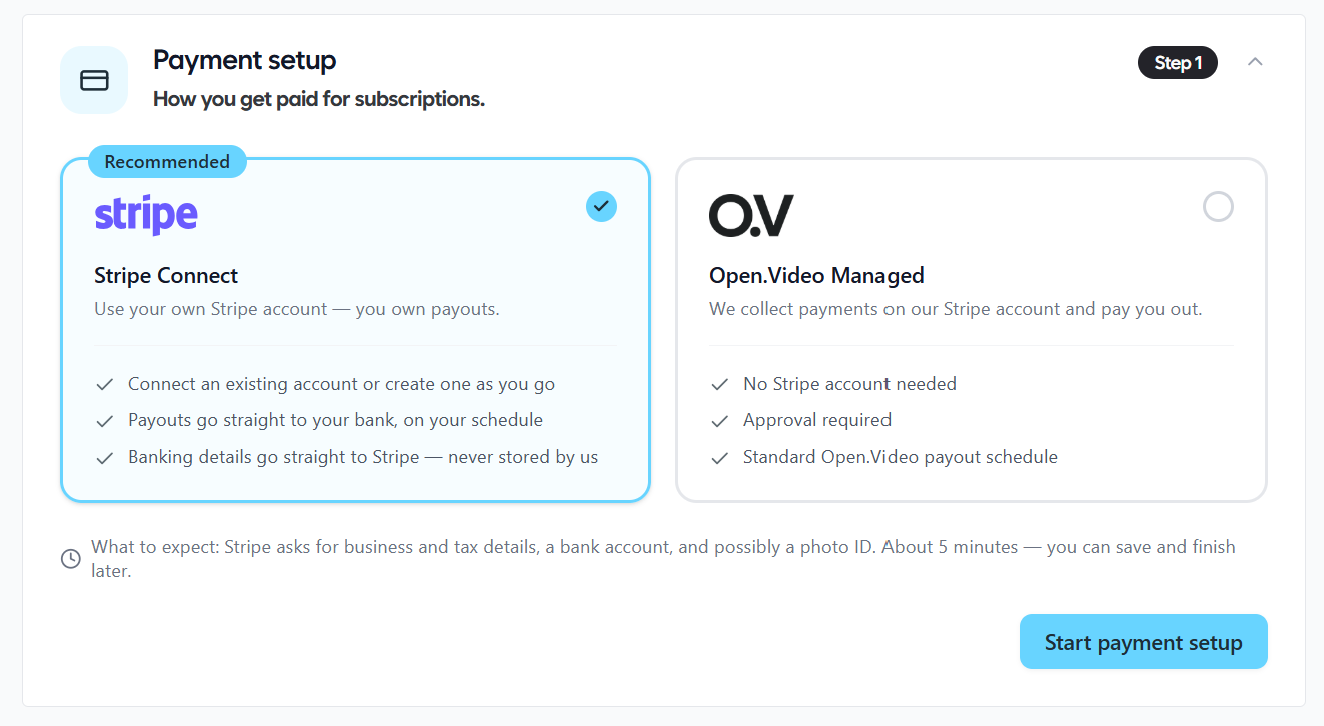
Payment setup options for monetization
After setting up payments, add a support contact where subscribers can connect with you.
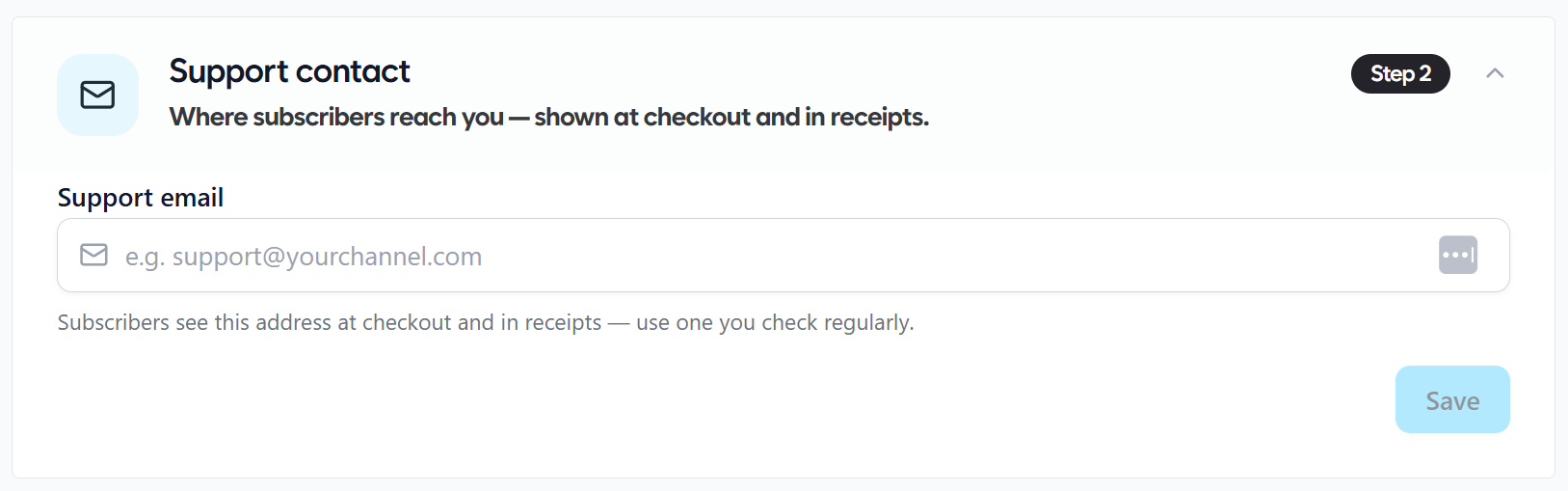
Set up support email for channel subscribers
Once done, publishers can set channel subscriptions at either recurring monthly or annual plans, or a one-time lifetime access price. A subscriber unlocks all Exclusive content on that channel.
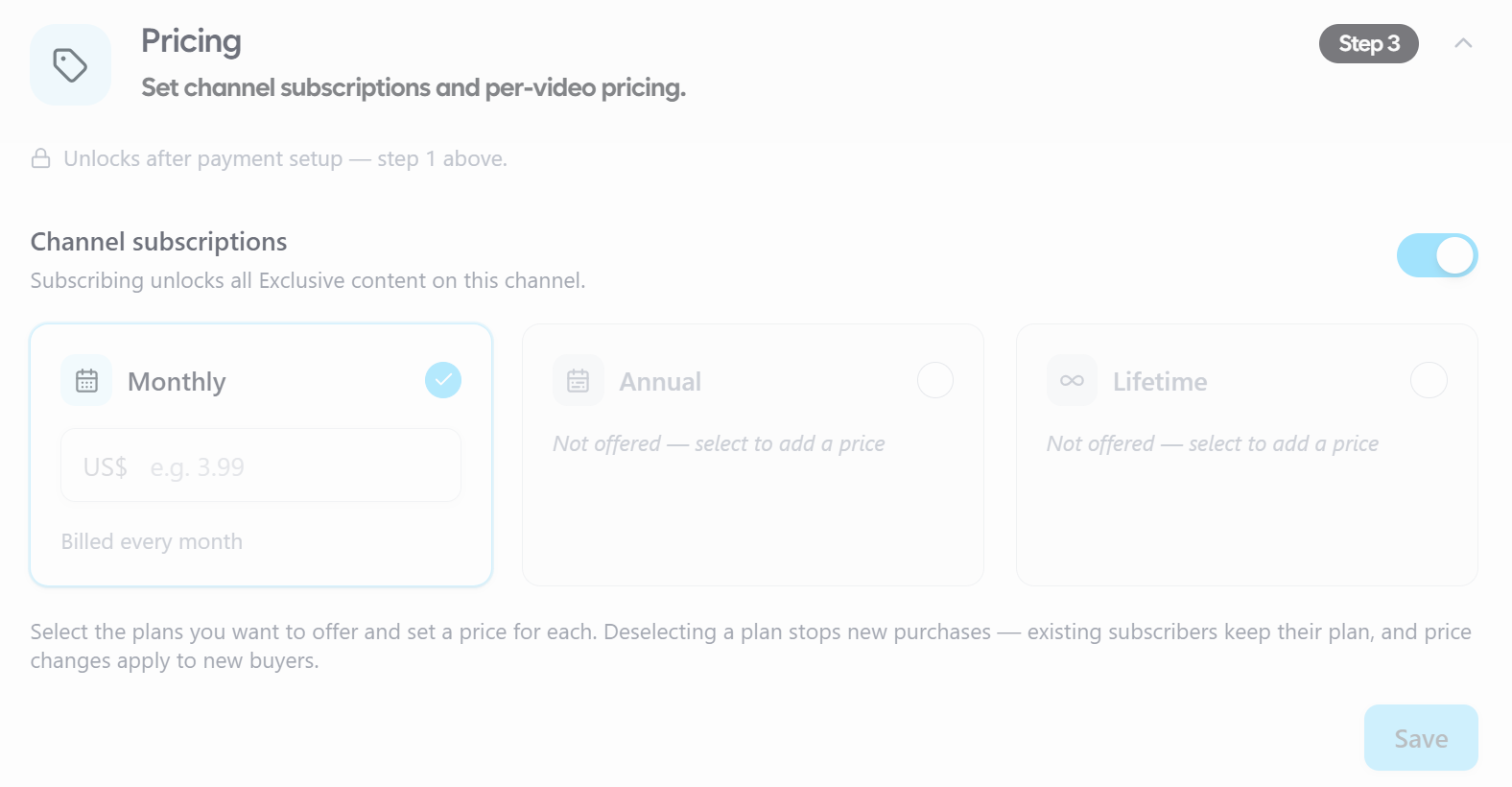
Channel subscriptions: monthly, annual, or lifetime
Viewer experience. A non-subscriber who lands on a video sees a lock screen with a “View subscription options” call to action. They sign in (or create a free account), pick a plan or a one-time purchase, and the page reloads with full access.
Publishers can also set video and playlist pricing to give viewers access to an Exclusive video or playlist.
Individual video and playlist pricing setup
Those who land on a paid video will see the following message:
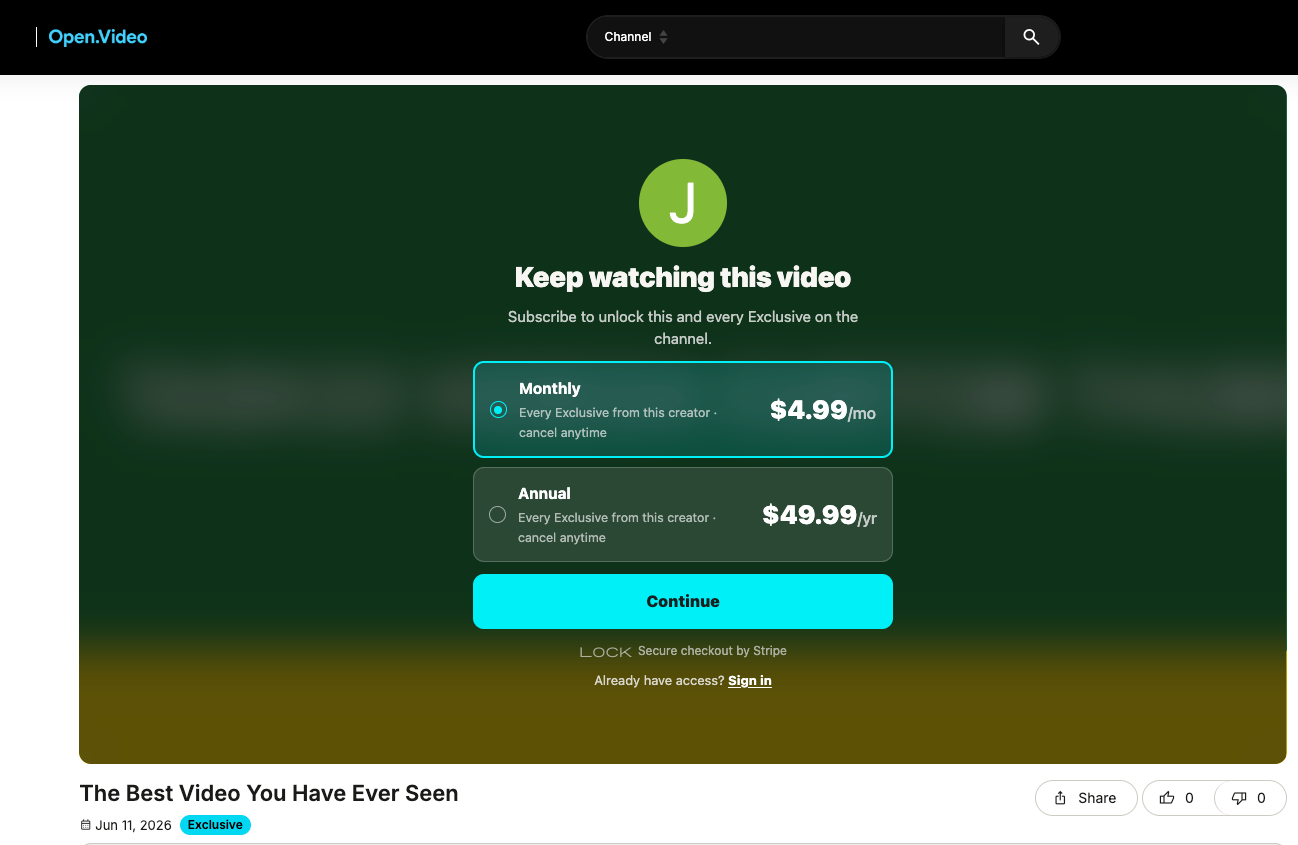
Paywall message for paid video content
These paywall features are helpful in monetizing individual videos, playlists, as well as complete channels.
Open.Video Features
Video Hosting
At its core, Open.Video is a hosting layer that keeps every video, watch page, and channel hub on the publisher’s own domain rather than a third party’s. This means publishers aren’t subject to another platform’s takedown policies, embed restrictions, or algorithm changes for content they’ve already built an audience around.
Publishers upload via the dashboard’s “Manage Videos” tab.
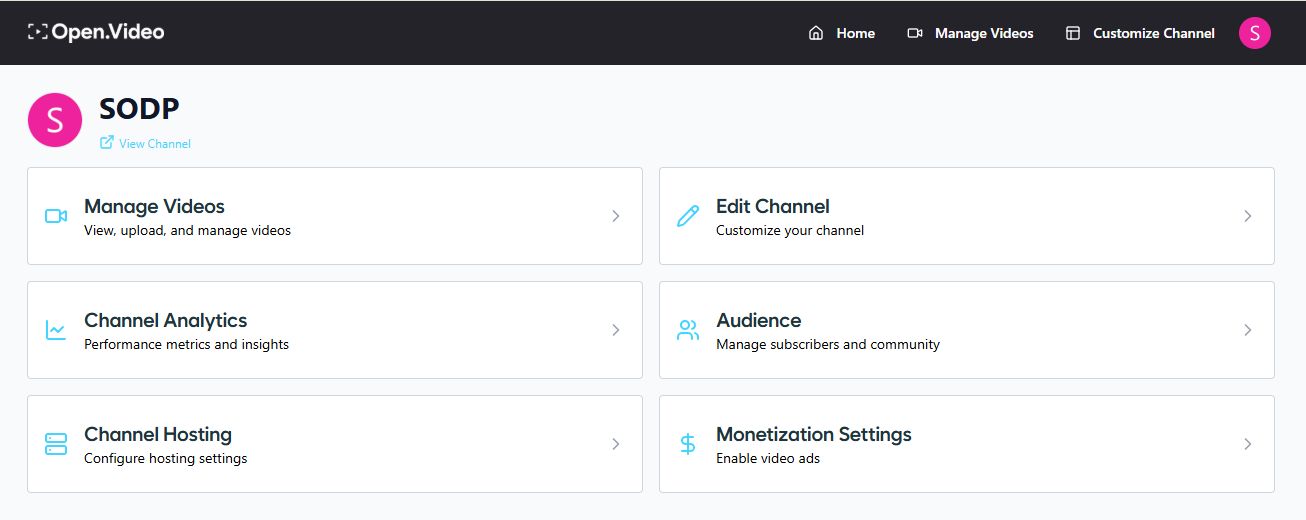
Open.Video dashboard
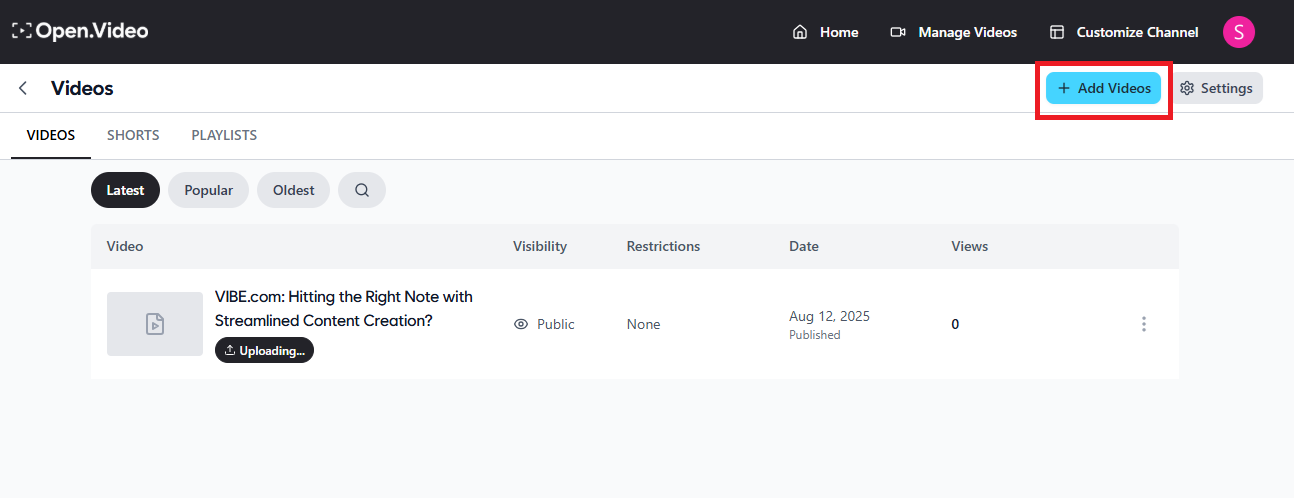
Add videos option in Open.Video dashboard
They can choose from several upload methods, including pulling in existing videos directly from a connected YouTube channel, so a legacy library doesn’t need to be rebuilt from scratch.
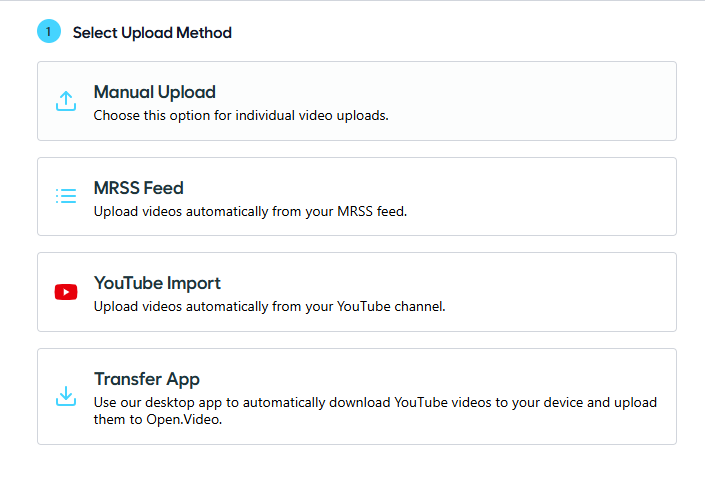
Video uploading methods on Open.Video
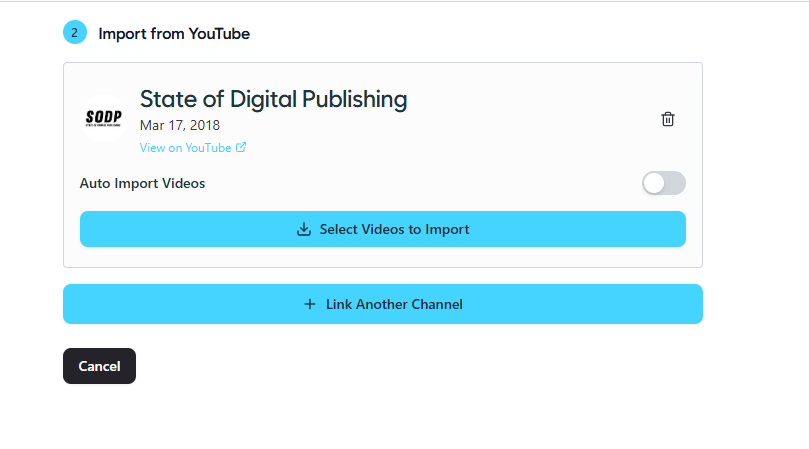
Import YouTube videos to Open.Video library
Once uploaded, all videos appear in the video library for management.
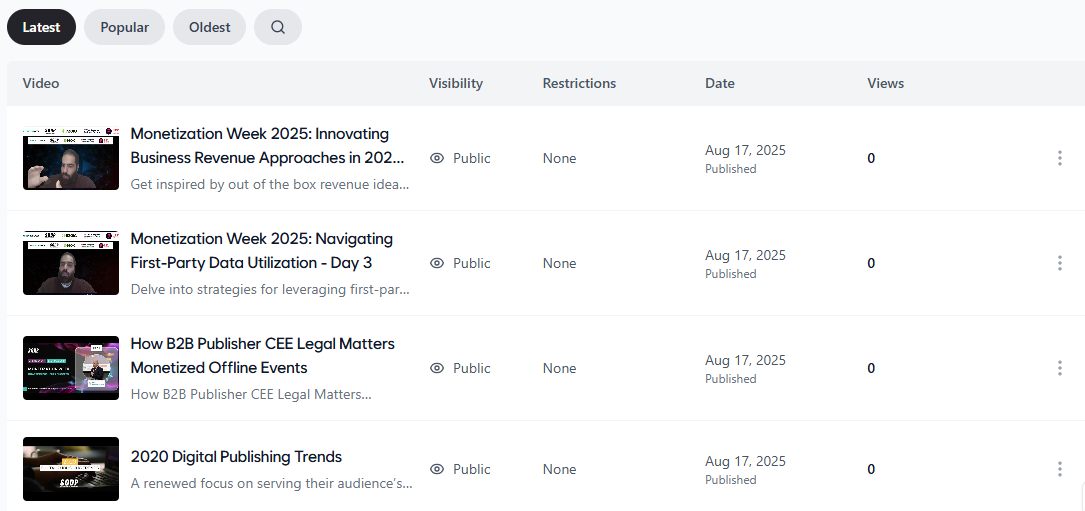
Open.Video’s video library
On-Domain Hosting and SEO
Every upload automatically generates an SEO-ready watch page, complete with metadata and structured data, so the video is indexable and eligible for Google’s video search placements from the moment it goes live.
For publishers, this is what actually separates Open.Video from simply embedding a YouTube video on a page: the watch page itself is treated as a page of the site, not a frame pointing elsewhere, which is what makes it eligible to rank.
Getting a channel live on your own domain takes one of two paths:
- WordPress users install the Open.Video plugin, connect their channel, and set a directory (for example, yoursite.com/videos)
- Custom sites map a subdomain via a CNAME record (such as video.yoursite.com)
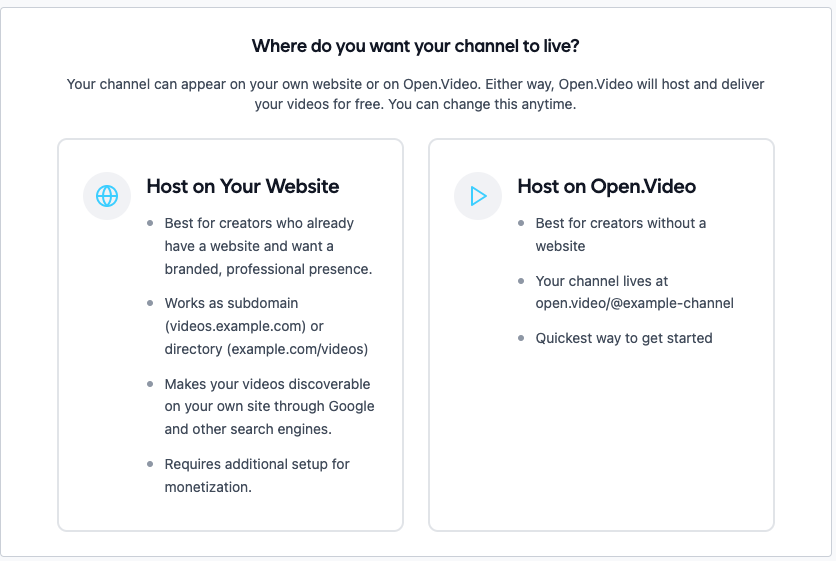
Hosting an Open.Video channel
Either way, once it’s connected, every video published afterward is served from the publisher’s domain, so the SEO value and engagement data stay in-house rather than flowing to YouTube.
Guinness World Records illustrates this benefit directly. By hosting videos on Open.Video, each piece of content generates a watch page optimized for SERPs.
For one release, Google’s video results displayed three top listings: the YouTube upload, the Guinness article, and the on-domain watch page powered by Open.Video.
This meant Guinness owned multiple search positions for the same content, crowding out competitors and maximizing traffic to their own site. They still benefitted from YouTube’s separate discoverability.
Branding and Channel Customization
Open.Video gives publishers control over how their channel hub looks and feels, rather than sticking them with a generic template. From the dashboard, publishers can update colors, logos, and branding across both the video player and the channel page itself.
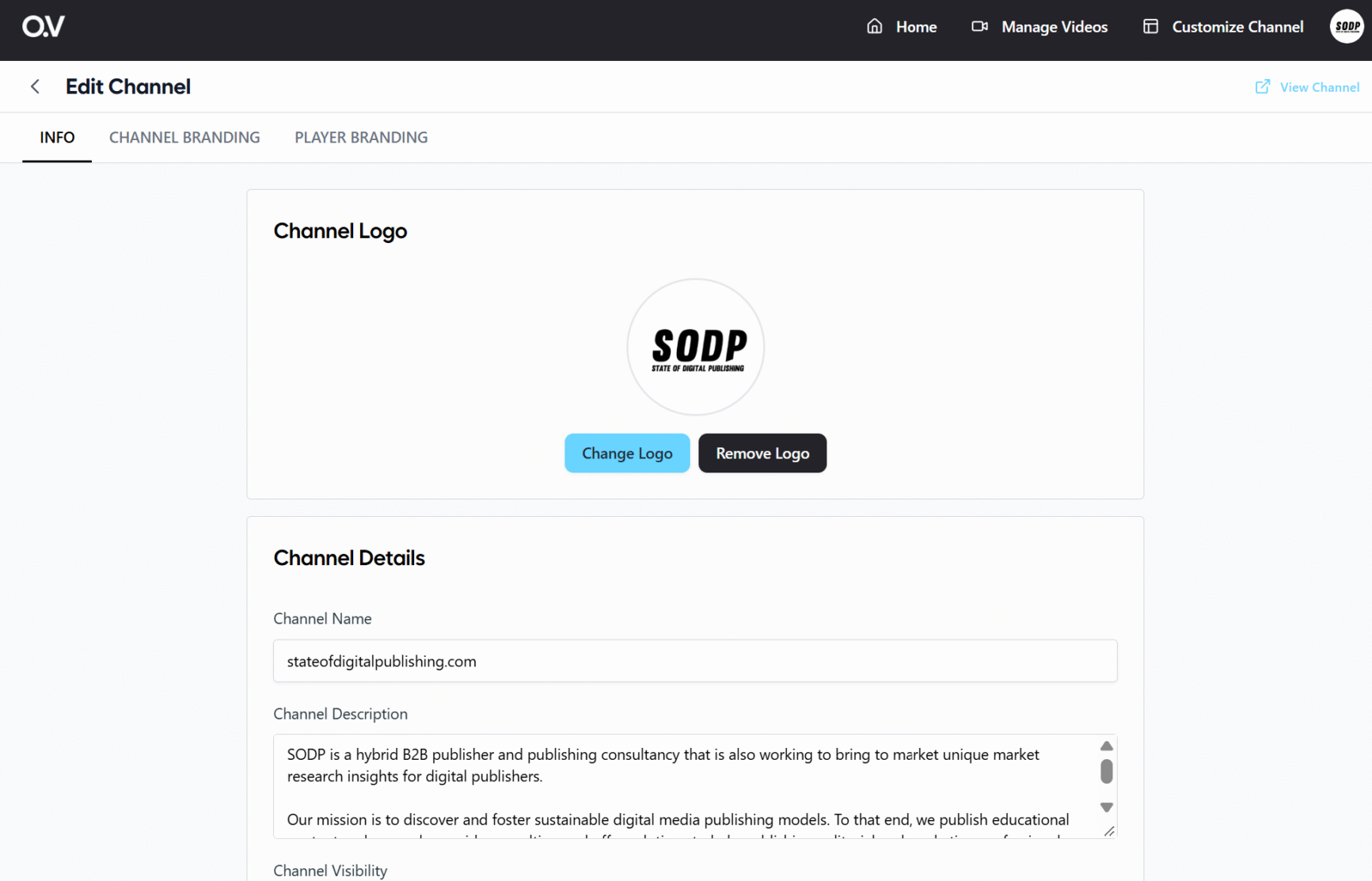
Set channel name and description
Choose between multiple layout templates: default, modern, classic, and others, to decide how videos are presented.
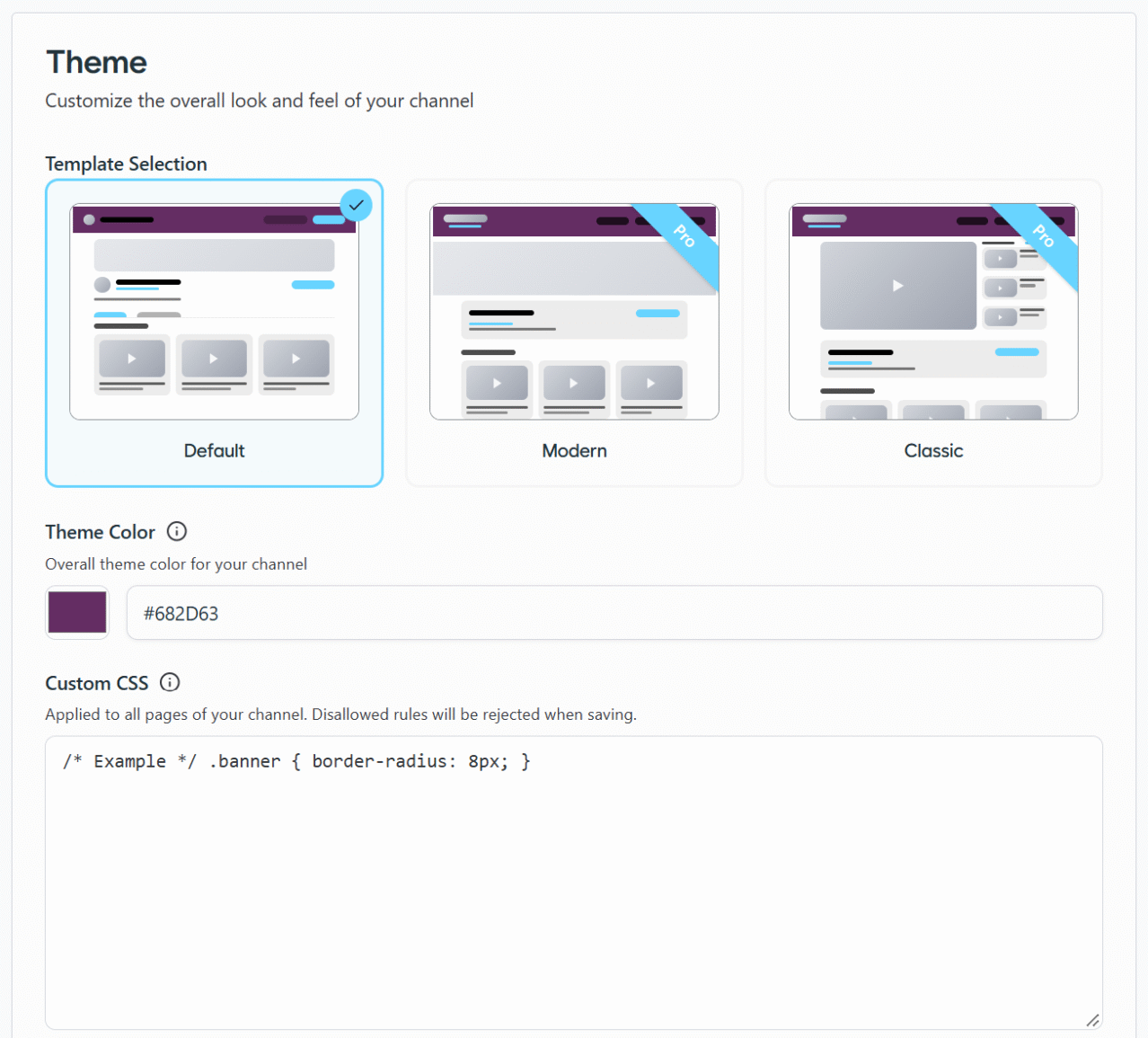
Select Open.Video channel layout templates
Under “Channel Branding,” you can also set your page layout, choose a featured video (or have the latest video featured automatically), and set which categories or sections display on the page.
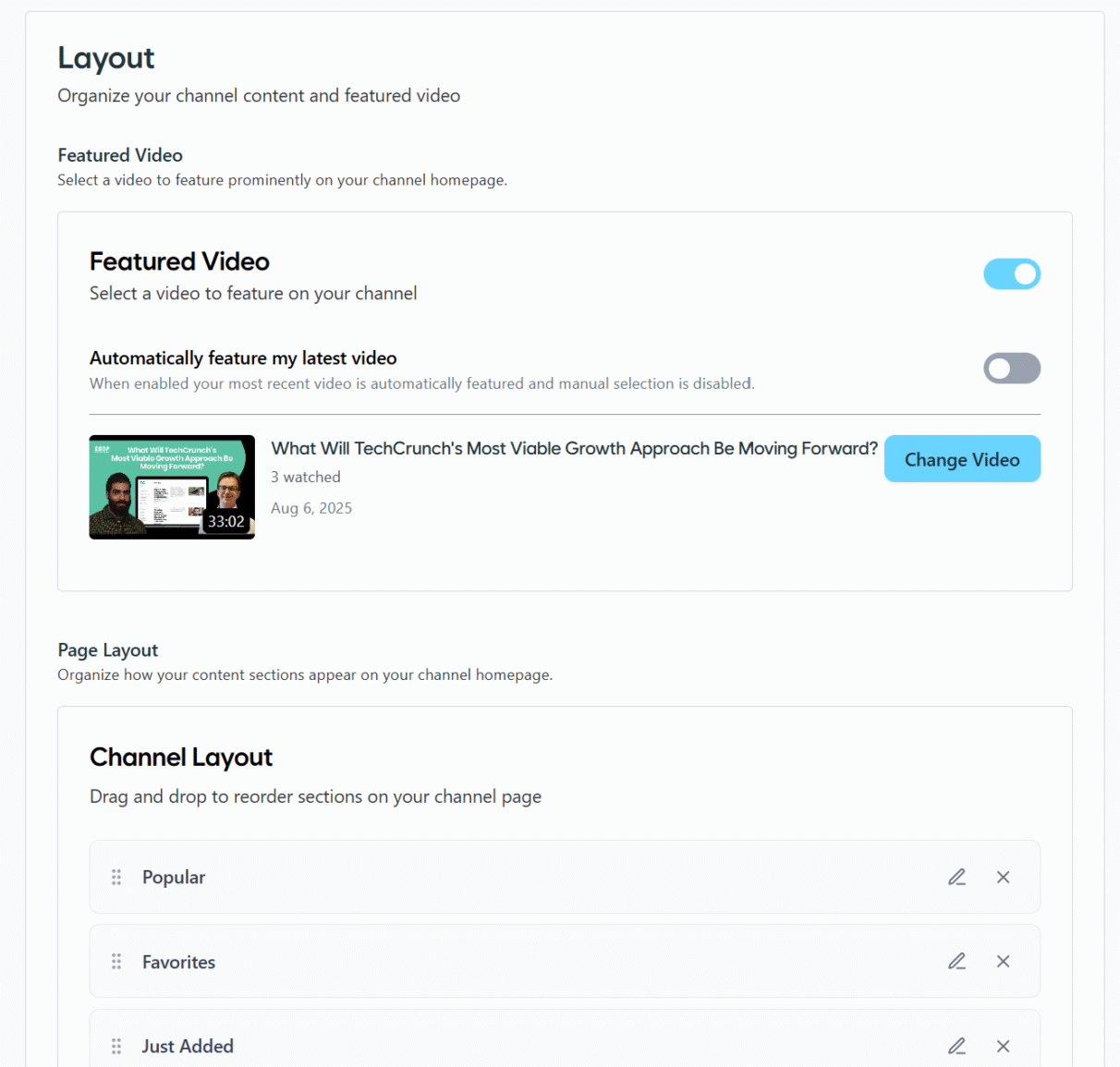
Decide on and edit channel page layout
Detroit Sports Nation is a useful illustration of what a fully branded, creator-led channel looks like in practice.
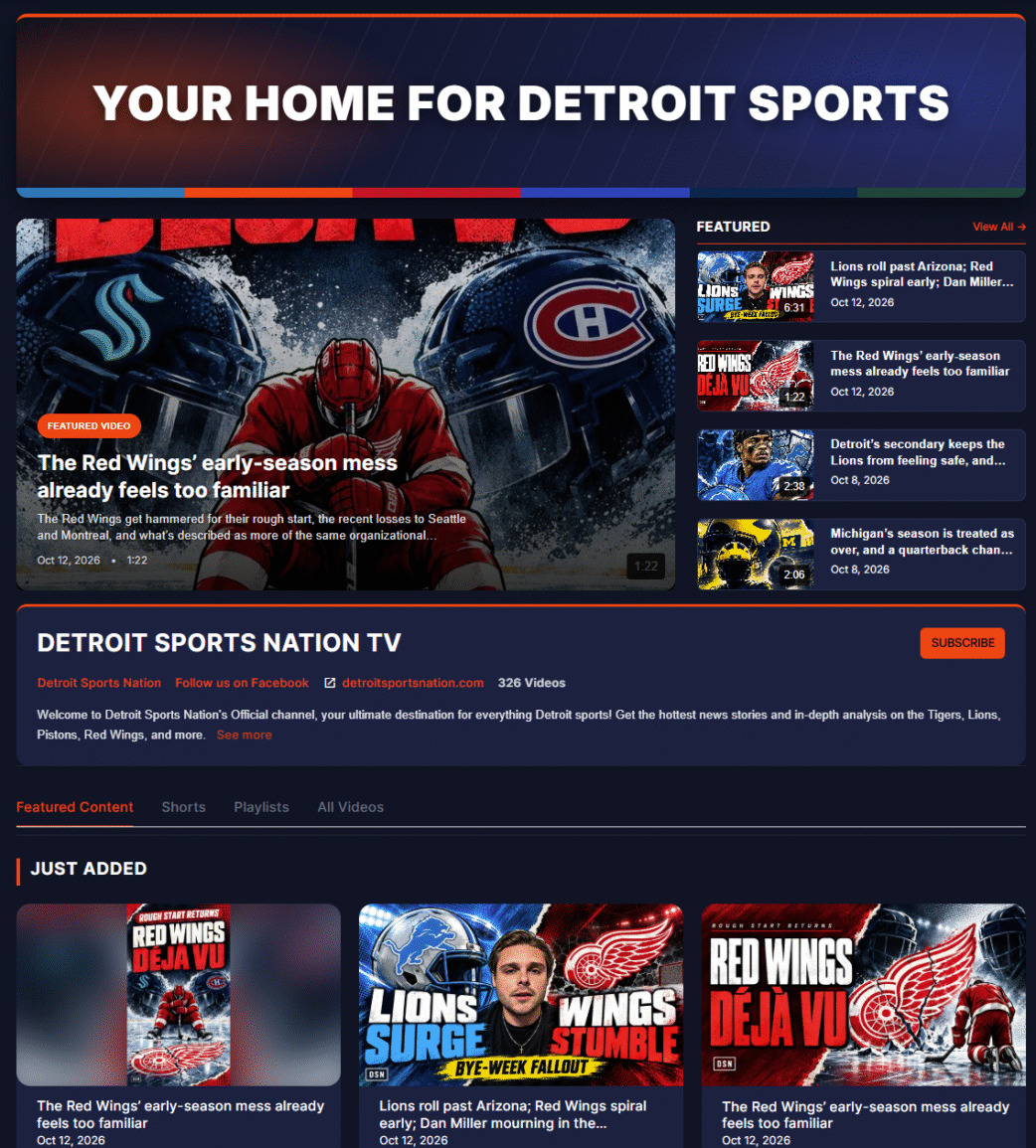
Detroit Sports Nation’s self-hosted video channel
This channel covers all sports in the Detroit area, with daily Shorts and videos recapping the latest games and team news.

Detroit Sports Nation’s Shorts feed, powered by Open.Video
Open.Video is helping them monetize their video content on their own website, which primarily drives users from Facebook and other social platforms. Instead of hosting videos on a third party, their entire video library is hosted on their own site, providing one destination for written and video content.
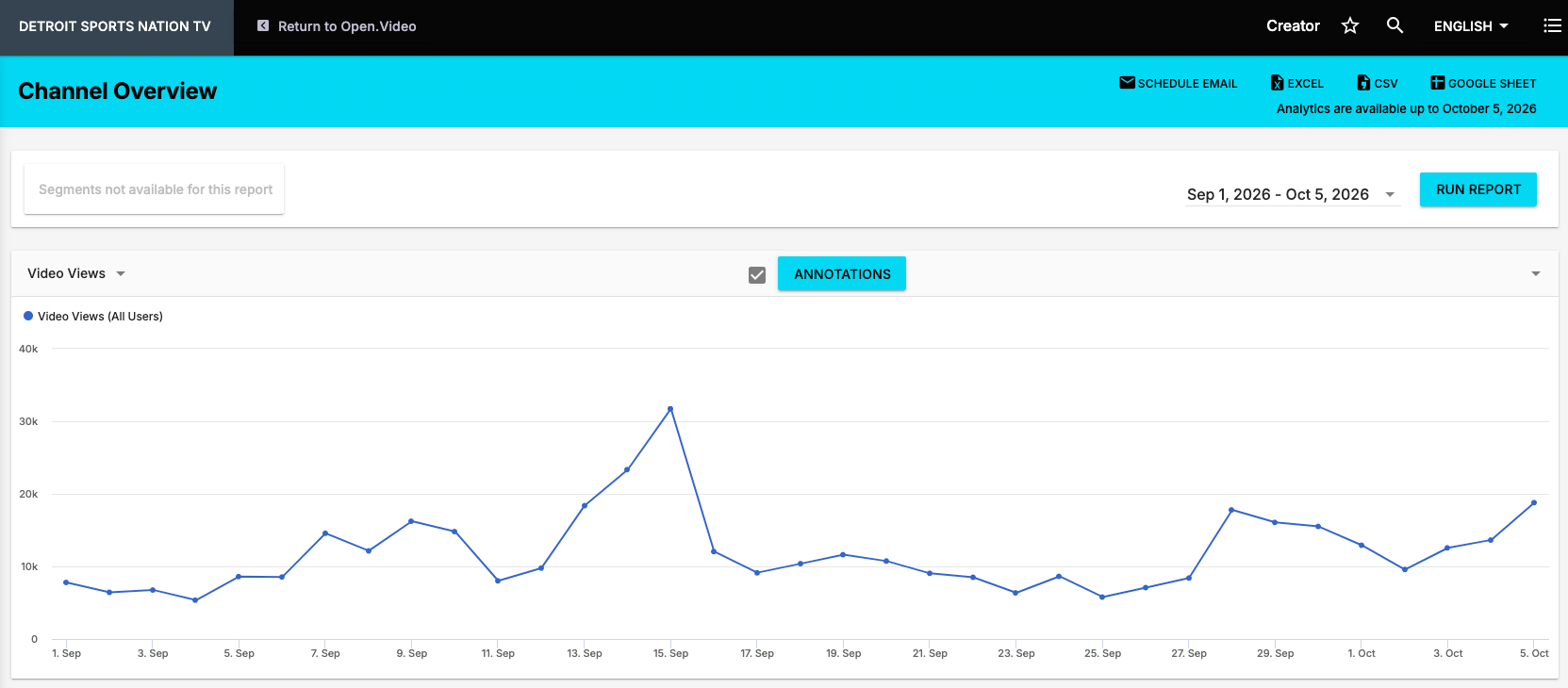
And this is what our video channel looks like, just in case you were curious.
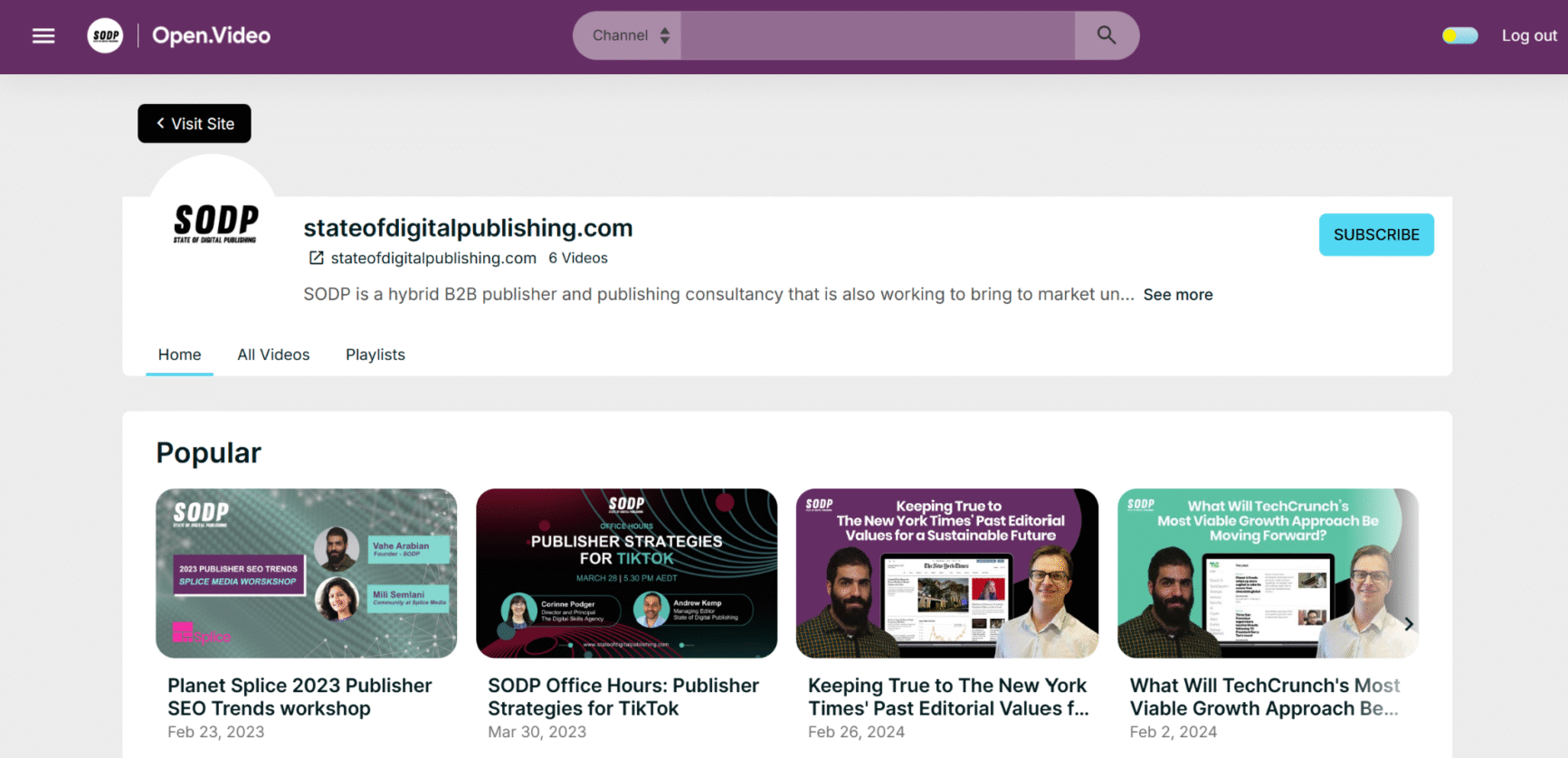
SODP’s self-hosted video channel, powered by Open.Video
Embedding and Distribution
Embedding is straightforward. Click the three-dot menu and select “Copy Embed Code” from any video, then paste it wherever the video should appear on a page or post.
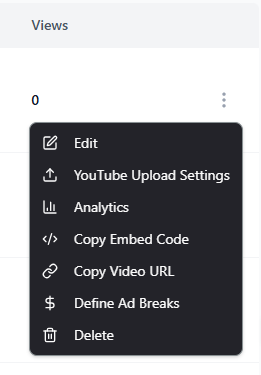
Individual video options
Publishers can also set a custom start time so the video loads at a specific point, and resize the player relative to the surrounding page layout. This is a level of control third-party platforms like YouTube simply don’t offer.
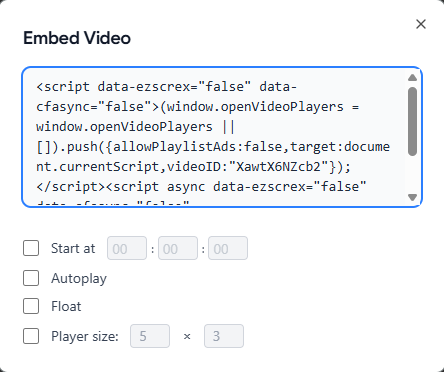
Video embedding options
Because playback runs through Ezoic’s system on the publisher’s own domain, ads are served automatically based on the site’s existing ad settings. Engagement, SEO value, and revenue all flow back to the site rather than to YouTube.
Video Monetization
Where YouTube places mid-roll ads automatically, Open.Video hands that decision to the publisher. It offers great control: Ad breaks can be set at a natural pause, a scene change, or after a specific amount of watch time, which keeps ads from cutting off key moments and generally makes for a smoother viewing experience.
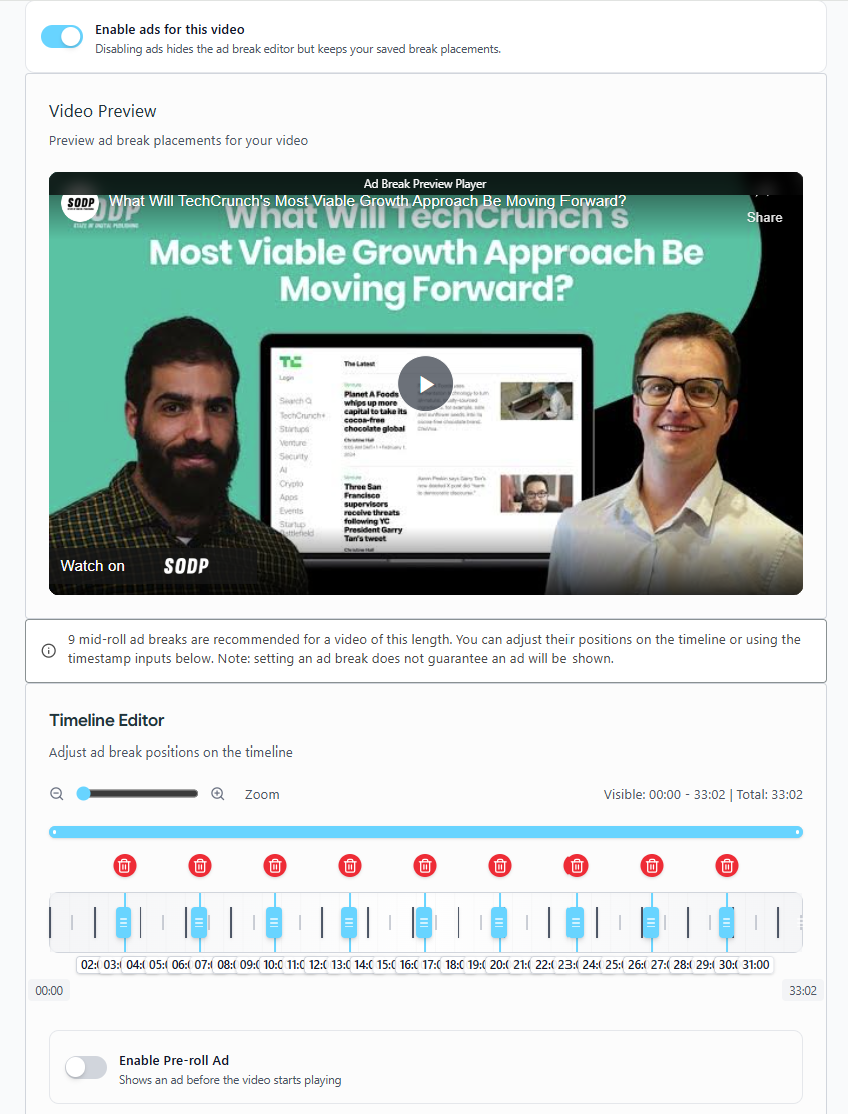
Adjust ad timelines on video for natural pauses
Ezoic also builds in guidance. The system analyzes video length and suggests an optimal number of ad breaks to balance revenue against viewer experience.
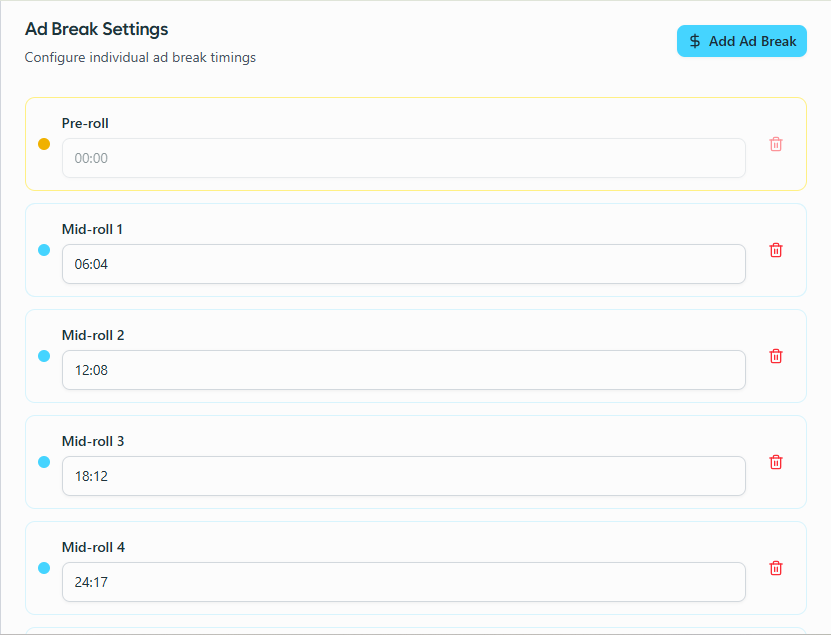
Publishers are free to accept the recommendation or override it entirely
In practice, this looks like a travel blogger uploading a 12-minute city guide video who places a short pre-roll before the intro, a mid-roll after the first landmark segment, and another before the food and nightlife section.
This way, ads land where your viewers naturally expect a pause, rather than wherever an algorithm decides. That mix of automation and manual override, plus the ability to turn ads on or off per video, is something YouTube doesn’t offer creators at all.
Chrome Unboxed shows what this control adds up to financially. The publisher began as a YouTube-first creator but gradually shifted to prioritizing their own domain by adopting Open.Video. They built a dedicated “Video” tab in their site navigation that leads to a customizable, SEO-ready channel.
The result: Their site revenue has eclipsed their YouTube revenue, despite having hundreds of thousands of subscribers on YouTube. Their video content now drives traffic, SEO, and direct subscriber growth, all under their own control.
Subscriber Management
Where monetization determines how a publisher gets paid per view, subscriber management determines who the publisher actually knows.
Open.Video captures first-party subscriber data on sign-up. This means a real email address rather than an anonymous YouTube “subscribe,” which publishers can feed directly into their existing newsletter or CRM tools instead of it staying locked inside a platform they don’t control.
The subscriber list is exportable at any time, with no extra charge or waiting period, so it behaves like any other first-party audience data the site collects rather than something borrowed from Open.Video.
For publishers, this is arguably the most consequential, least flashy feature on the platform. It can help you optimize your video strategy on the go. A channel can be redesigned, a monetization approach can change, but a list of real subscriber emails stays usable regardless.
Open.Video: Analytics and Performance Reporting
Open.Video’s analytics are built to be simple and readable at a glance rather than a firehose of data. Publishers can track the fundamentals for any video or the channel as a whole:
- Total video views: overall reach per video and across the channel
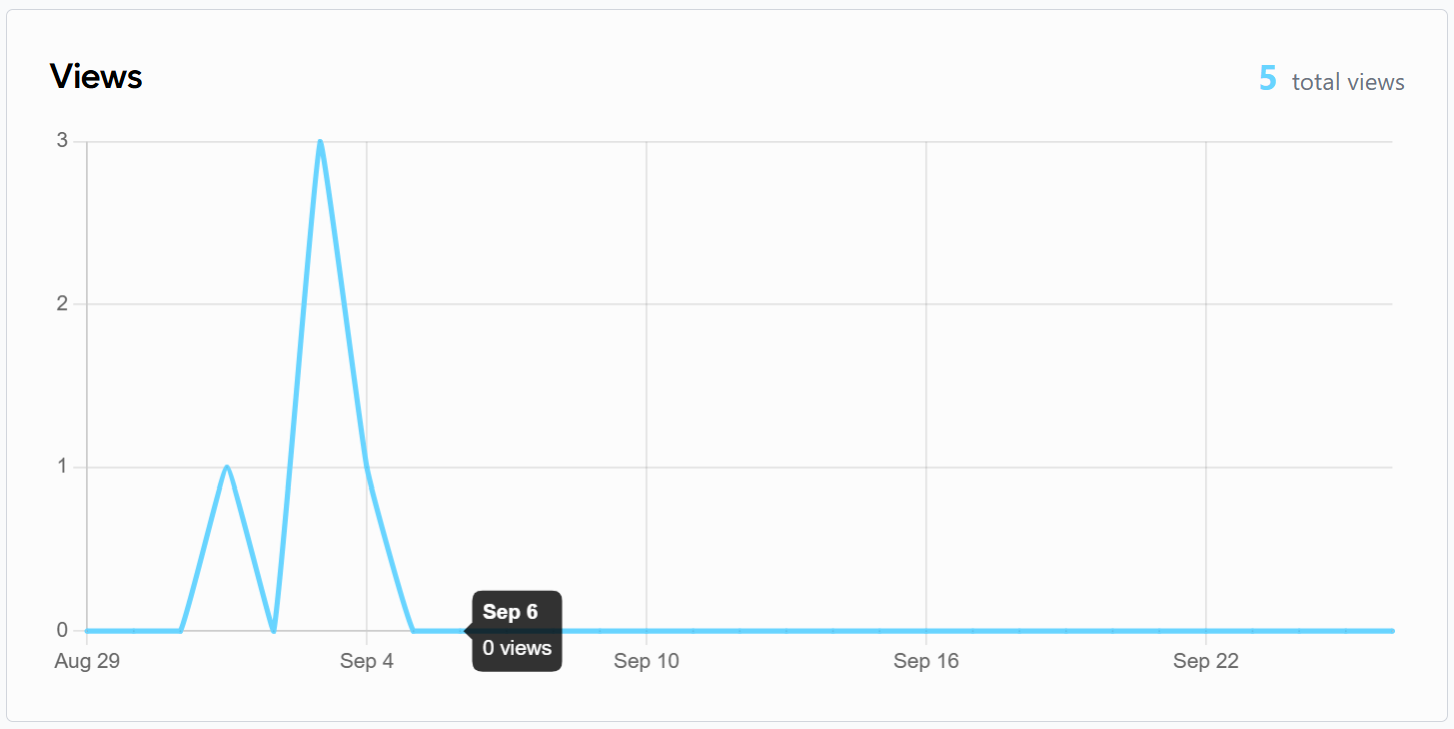
Video views
- Total ad revenue: how much monetization is actually generating
- Views by device: which devices are viewers using to watch videos or access the channel
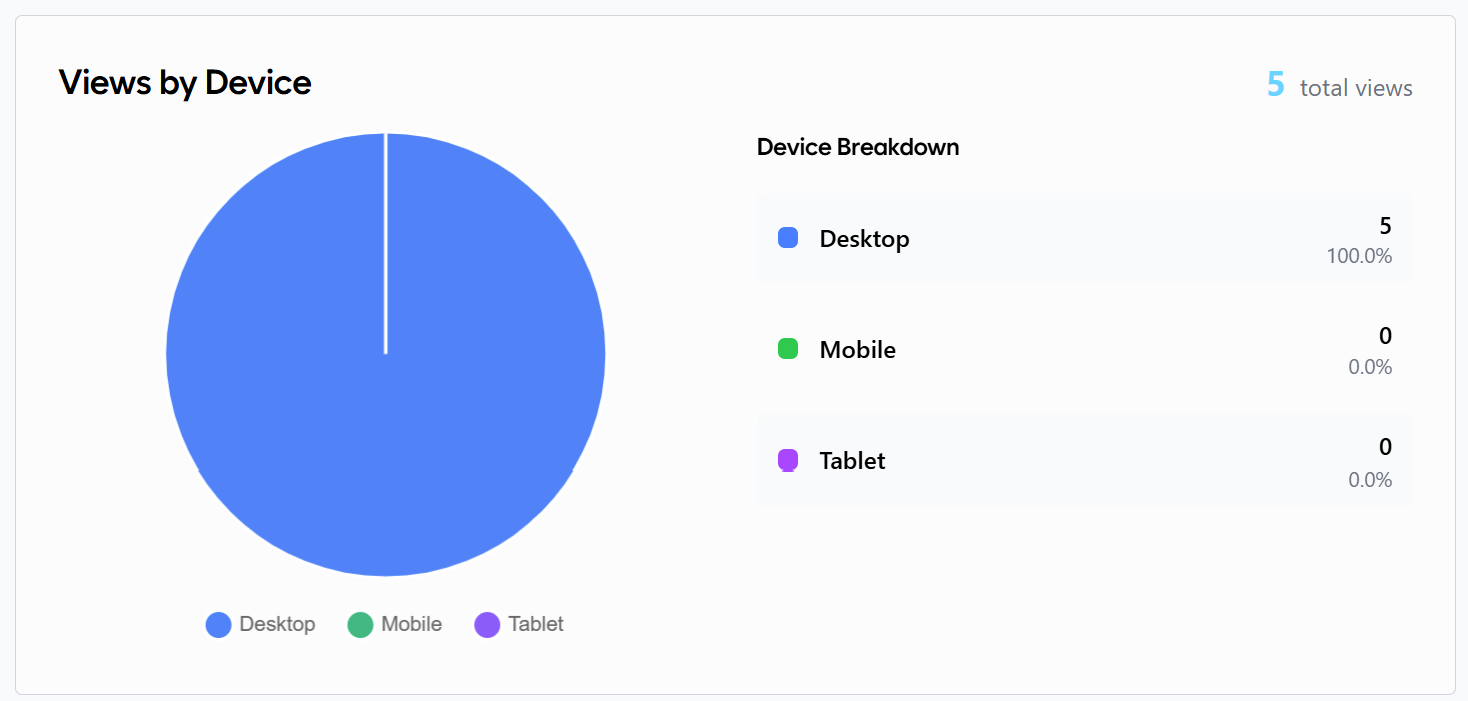
Views data by devices
- Viewer locations and viewers by country: where the audience is physically watching from
- Audience retention: how much of each video people actually watch before dropping off, useful for spotting where ad breaks or content pacing might need adjusting
- Top-trending videos: which videos are generating maximum views and engagement for a channel
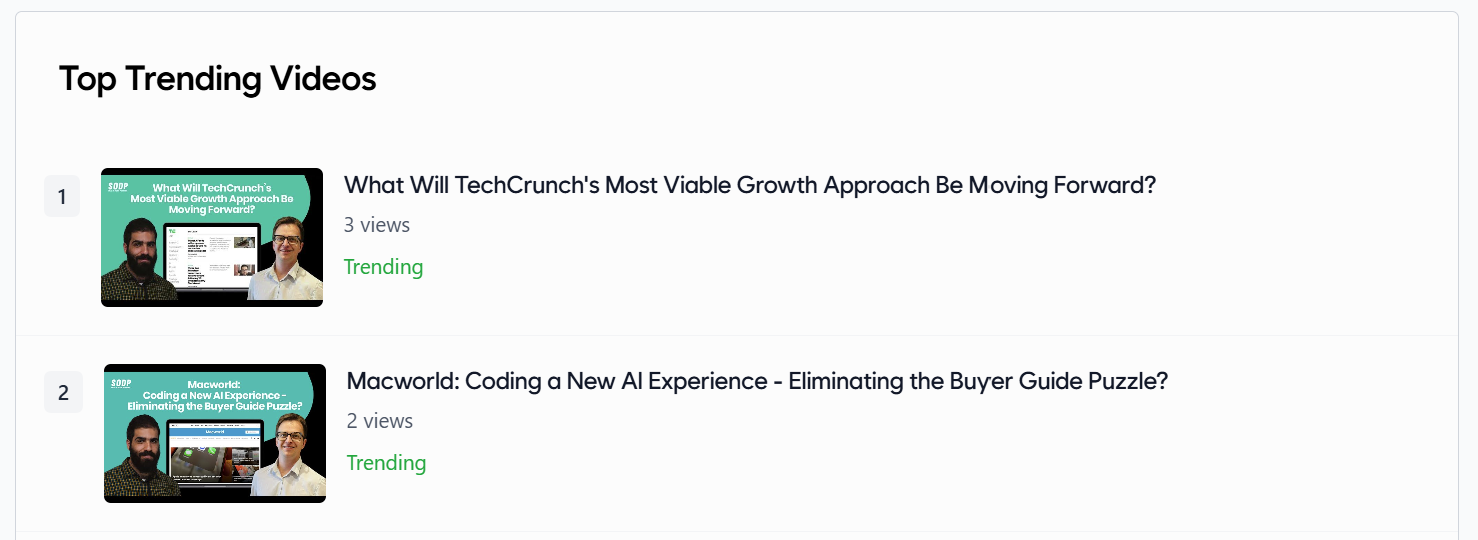
Popular videos by views
Two additions round out the Open.Video dashboard this year, including:
- Analytics graph: gives publishers a visual, at-a-glance read on view and revenue trends over time rather than just raw numbers in a table
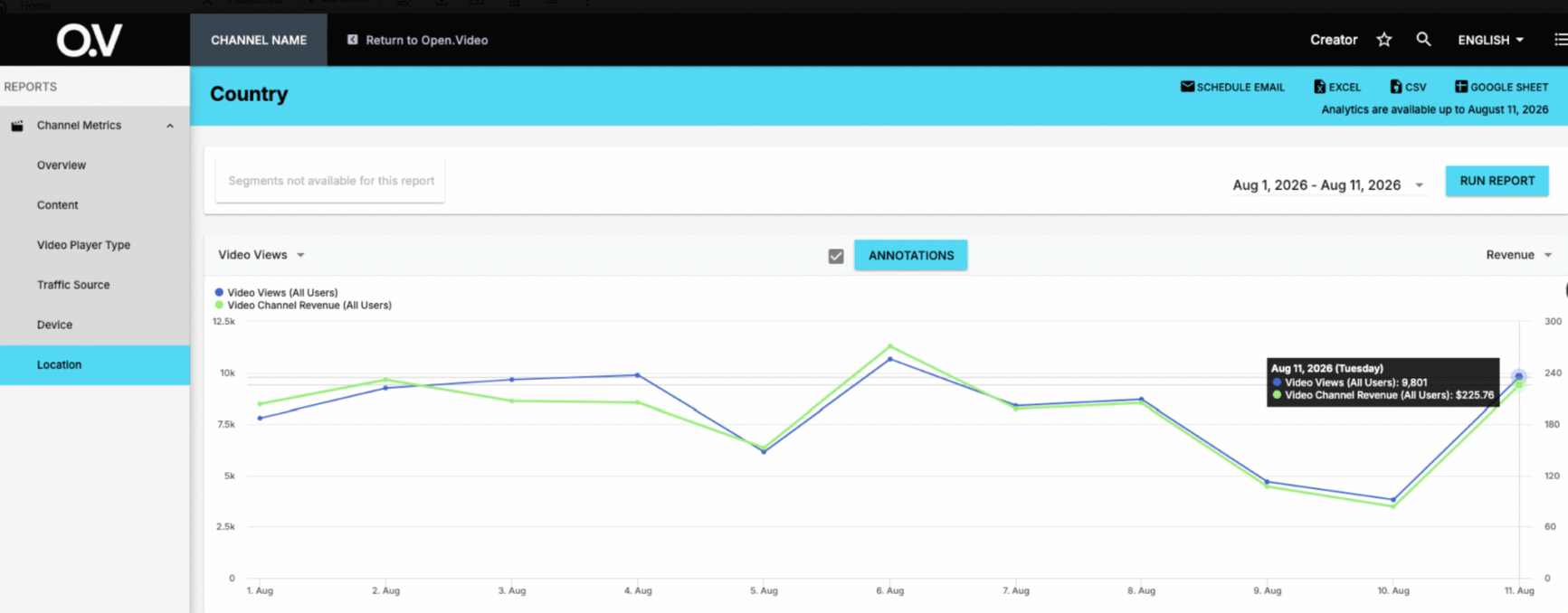
Analytics graph view in the Open.Video dashboard
- Revenue-by-location breakdown: useful for publishers whose audience and ad rates vary meaningfully by geography, easier to spot where the actual money is coming from rather than just where the traffic is
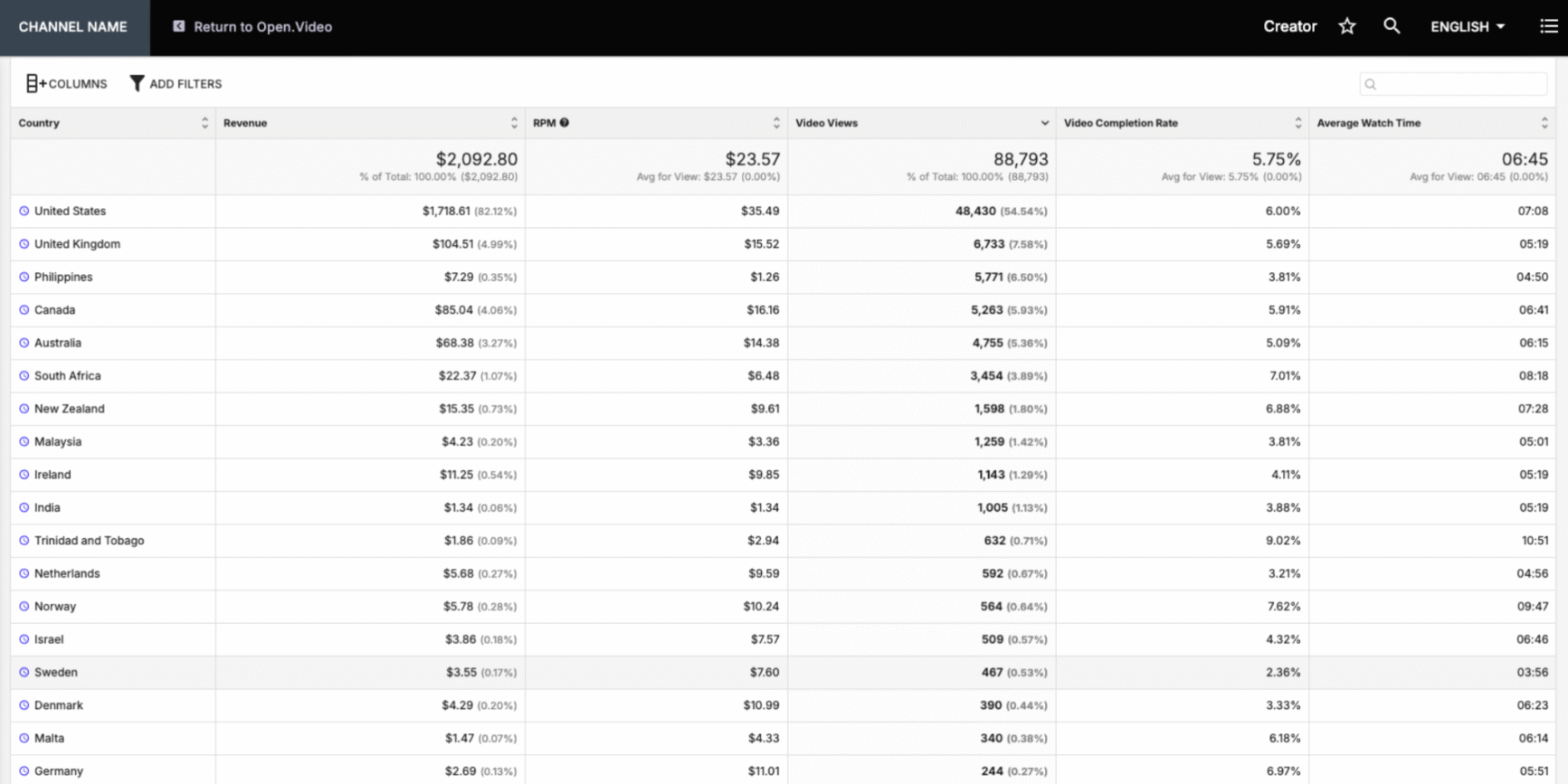
Revenue-by-location data
For publishers who want more depth, an Advanced Analytics view adds traffic source, average watch time, device type, and views by video player type, with export options to Excel, CSV, or Google Sheets.
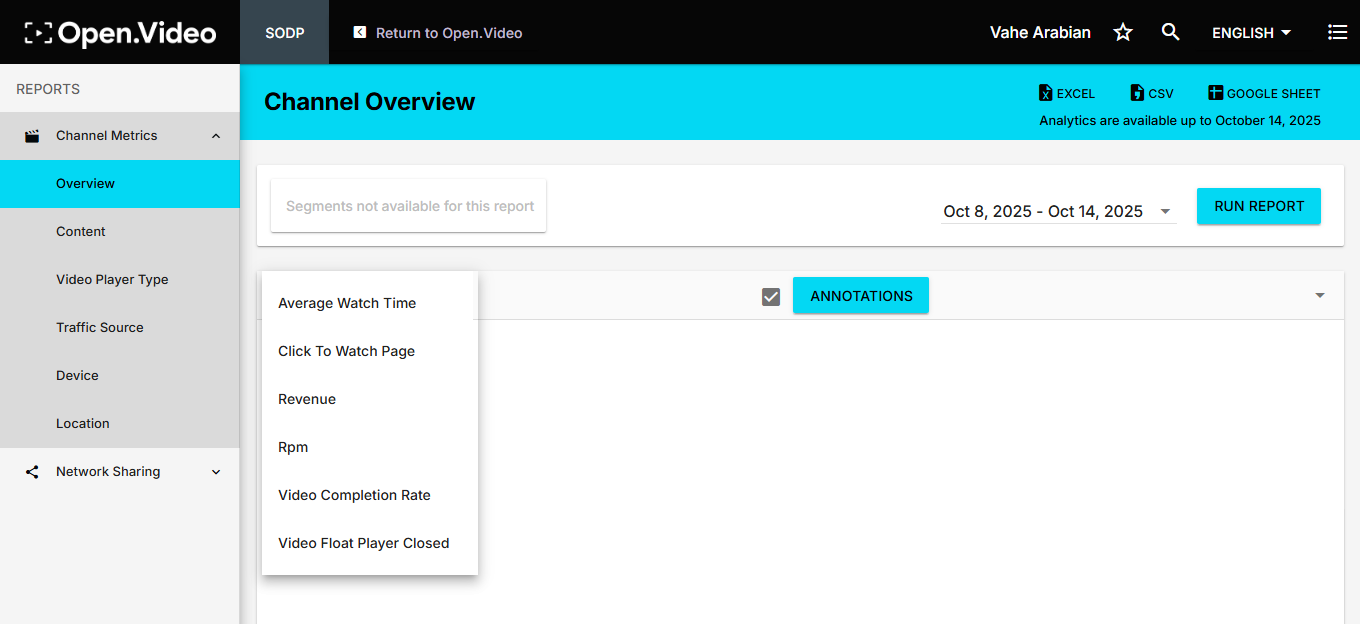
More video analytics data
That said, the analytics are relatively limited compared to what YouTube provides. Viewer demographic data is the main gap: Ezoic shows geographic location, but not deeper insights like age, gender, and subtitle language.
For publishers who are used to YouTube Studio’s level of granularity, this can feel restrictive. However, it’s an area Ezoic has said it’s actively expanding, partly through the reporting made possible by the MCP server covered above.
The trade-off is that Open.Video’s analytics focus squarely on revenue and engagement within the publisher’s own site rather than broad audience segmentation. For many site owners, that narrower view is enough to measure what matters most: whether videos are helping users stay longer, view more content, and generate additional ad income.
Who’s Using Open.Video?
Open.Video’s adopters span a wide range of publisher types:
- Independent tech and lifestyle sites
- Recipe and food-focused brands
- Interview and media channels
- Publishers with long-standing SEO authority
- Anyone who prefers owning the channel outright rather than renting space on YouTube
A few of the sharpest examples are woven into the feature sections above, as supporting evidence for the specific capability they illustrate. These include Guinness World Records, Paula Deen, and Chrome Unboxed.
Hosted by Francis Zierer, Creator Spotlight is a good example of how Open.Video works well for an interview-driven media channel. The host sits down weekly with creators who’ve turned their own content into a business, including newsletter writers, TikTok creators, YouTubers, journalists, and industry experts, and asks how they actually did it.
The numbers back that up. From joining Open.Video in April 2026 through October 19, Creator Spotlight recorded more than 18,300 video starts and roughly 700 hours of playback time across its own website and branded video channel. Their public library now holds 167 videos, about 126 hours of material in total.
Engagement has deepened as the channel matured: playback on the channel rose 48% from May, its first full month, to August, even though August saw fewer starts. Viewers weren’t just showing up; they were staying longer.
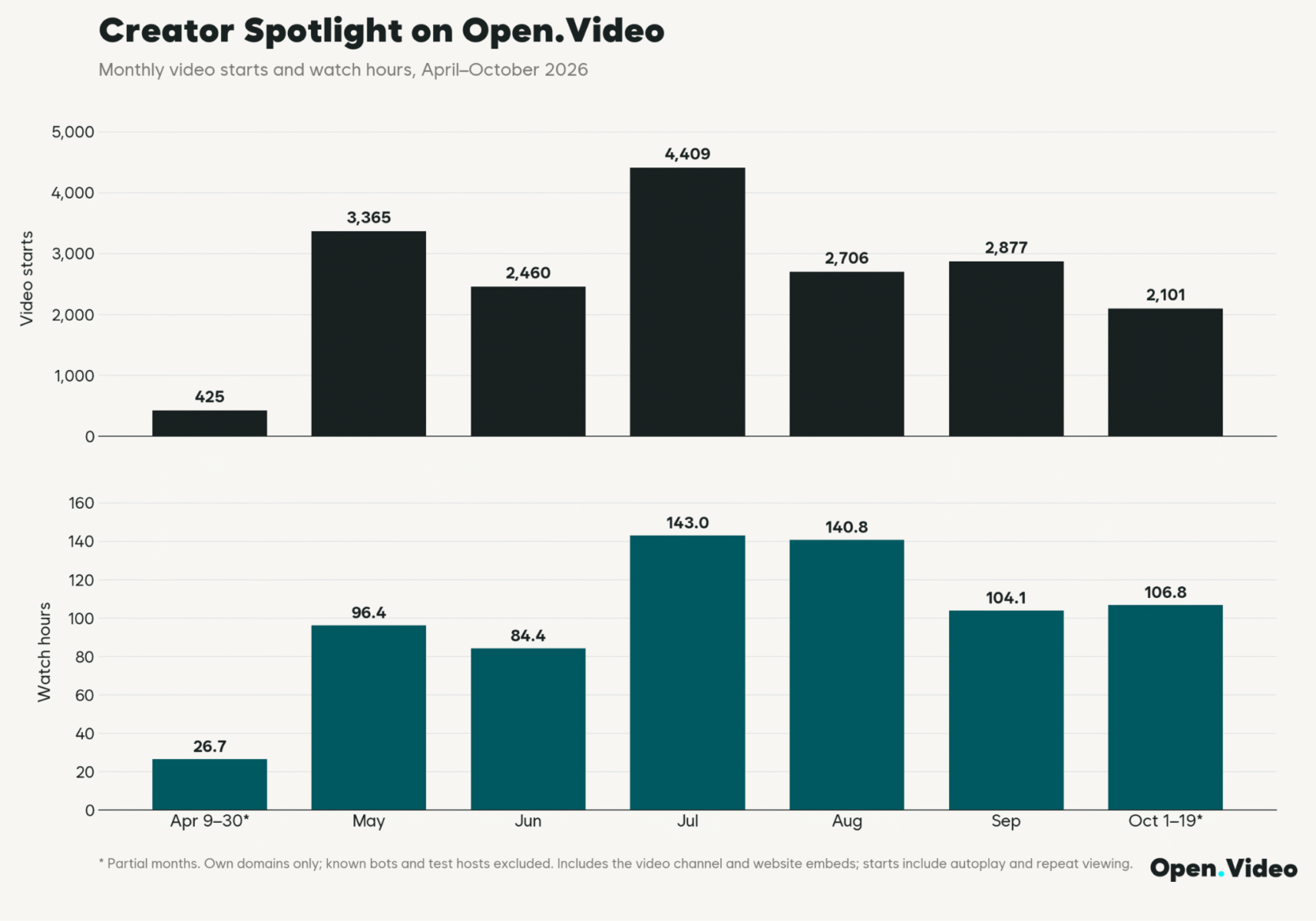
Creator Spotlight’s Open.Video channel: video starts and watch hours
Traffic followed a similar arc. Monthly pageviews on the branded channel climbed 94% from May to a July peak, nearly doubling in two months.
For an interview channel where the average video runs around 45 minutes, that’s the pattern that matters most: people arriving on purpose and sitting through the conversation, on a channel Creator Spotlight owns.
Open.Video: Customer Support
A platform can have strong functionality and still be a headache to implement. That’s why you must check support resources before committing time to a migration, not after something breaks.
Open.Video has a dedicated support team for creators. Within app.open.video, there are links to contact the support team, and in addition, you can reach out to [email protected].
For the MCP integration specifically, the setup documentation lives separately here, which is worth bookmarking separately.
Open.Video: Pricing
The short version: Open.Video is free, and it stays free where it counts.
There’s no subscription to start a channel, no setup fee, and no charge to import an existing YouTube library, upload new videos, or export your subscriber list whenever you want it.
Every core feature, including video hosting, channel branding, embedding, ad breaks, analytics, and monetization, is available from day one at no cost. Ezoic has said optional paid add-ons may show up down the line, but nothing required to run the platform will ever sit behind a paywall.
The bigger difference from YouTube isn’t the price tag, though; it’s the cut. YouTube pays creators through the Partner Program, but keeps roughly 45% of long-form ad revenue for itself, and that’s before factoring in subscriber and watch-time minimums that have to be hit before a channel can monetize at all.
Open.Video works the other way around: publishers keep 100% of ad revenue, sponsorships, and membership income, starting from the very first view. There’s no eligibility bar to clear and no revenue share coming off the top.
Open.Video: Pros and Cons
Here’s a quick look at what stands out and where the platform still has room to grow.
What We Love About Open.Video
- Easy integration with existing Ezoic accounts with no extra subscription needed
- Videos hosted on publishers’ sites, keeping SEO and engagement value in-house
- Monetization begins immediately with no eligibility thresholds
- Flexible ad placement with smart recommendations
- Straightforward dashboard for uploading, embedding, and managing videos
- Vertical video and Shorts support, complete with a swipeable full-screen feed and shoppable product stickers, all running on the publisher’s own domain
- Now manageable via MCP, letting AI clients like Claude or Cursor handle uploads, metadata, and analytics through plain-language requests instead of manual dashboard work
- Offers a built-in video ad network based on the Humix platform, allowing publisher videos to play across other participating Ezoic sites, giving them extra reach
Where There’s Room for Improvement
- Analytics are limited compared to YouTube, especially when it comes to user demographics such as age and gender. However, this is an area Ezoic is actively building out
- Doesn’t support MKV uploads, which some creators rely on when recording with OBS or editing with tools like HandBrake
- Smaller discovery potential compared to YouTube’s algorithm-driven ecosystem. Open.Video is best paired with, rather than positioned as a full replacement for, a publisher’s existing YouTube presence
- Upload and processing are efficient, but transcoding options are less transparent
- Branding options for the video player are limited, making customization harder
Conclusion
Open.Video turns video from a rented YouTube channel into an owned asset on the publisher’s own domain. This means the search rankings, subscriber emails, and ad revenue all stay on-site.
It’s the right fit for publishers who already have a site and an audience, and want video to contribute to that site’s SEO and revenue instead of building a separate following on another platform.
Creators starting from zero might still need a popular platform’s discovery engine to get found in the first place.
For publishers trying Open.Video, three capabilities matter most:
- On-domain SEO: Watch pages that rank in Google like any other page on the site
- Zero-cut monetization: Built-in monetization tools, video paywall, ad controls, and 100% of ad revenue from view one, no eligibility threshold
- First-party subscriber capture: Real emails, not anonymous follows, usable data and insights regardless of how the channel or video strategy changes later
Vertical video and the MCP integration are solid additions, but they sit on top of that core case, not in place of it.
Open.Video may not replace YouTube’s reach, and it isn’t trying to. It’s a genuinely free way to make videos work for the publisher’s own site instead of someone else’s. And cross-posting seldom hurts, so give it a try!