




Podcast discovery: optimizing for search engines and podcast apps and directories
There are 750,000 podcast shows out there, with 30 million episodes. Podcasting is a growing advertising market, that stands to grow to $1.6 billion by 2022. If you want your show to stand out, you have to think about how your audience can discover your work. Optimizing your content to attract visitors from search engines is key to overcoming the discoverability problem that affected podcasts. According to Edison Research, most people discover podcasts in three ways:- Searching on the web (73% of US podcast listeners)
- Word of mouth: social media, friends and other podcast hosts recommendations.
- Top charts of podcast apps and app recommendations: you open the app and start listening to the most popular shows.
On-page SEO for podcast websites
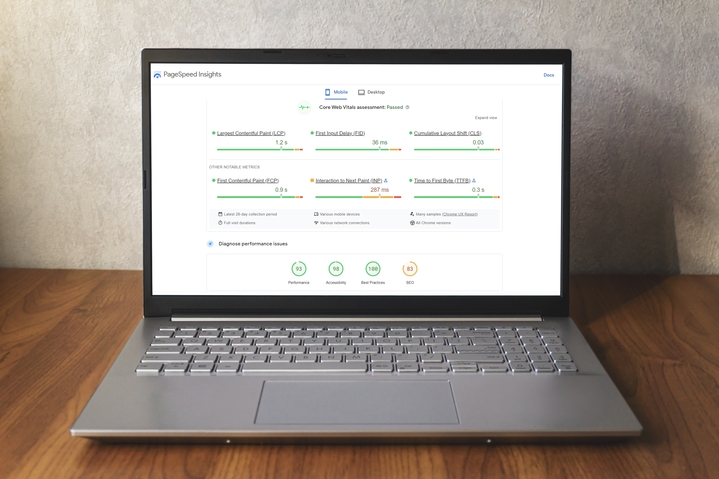
Technically, you don’t need a website to produce a podcast. You could just host your shows on a hosting provider like Soundcloud and use the RSS feed it generates to publish your show in the main podcast apps and directories. But you’d be losing so many opportunities to help your potential listeners to discover your podcasts, it wouldn’t make sense. In fact, some directories like Google Podcasts are starting to include a website in their list of requirements to accept new shows. A site will also allow you to retain control over your content and your subscribers. If you can own that relationship to a certain degree (through email lists and social following) you can attain a certain level of insulation against changes in the podcast landscape. In the end, all the podcast apps and directories are your providers, and a middleman between you and your audience. If they change the rules, or if they go out of business, you don’t want them to take your audience with them. One key data point to consider is that 65% of people listen to podcasts using their phone (25% use a computer, while 10% use a smart speaker). This means that a website for a podcast must be designed mobile-first. Take into account the limitations in data transfer and design real estate. Focus on speed and navigation simplicity.Key elements for a podcast website
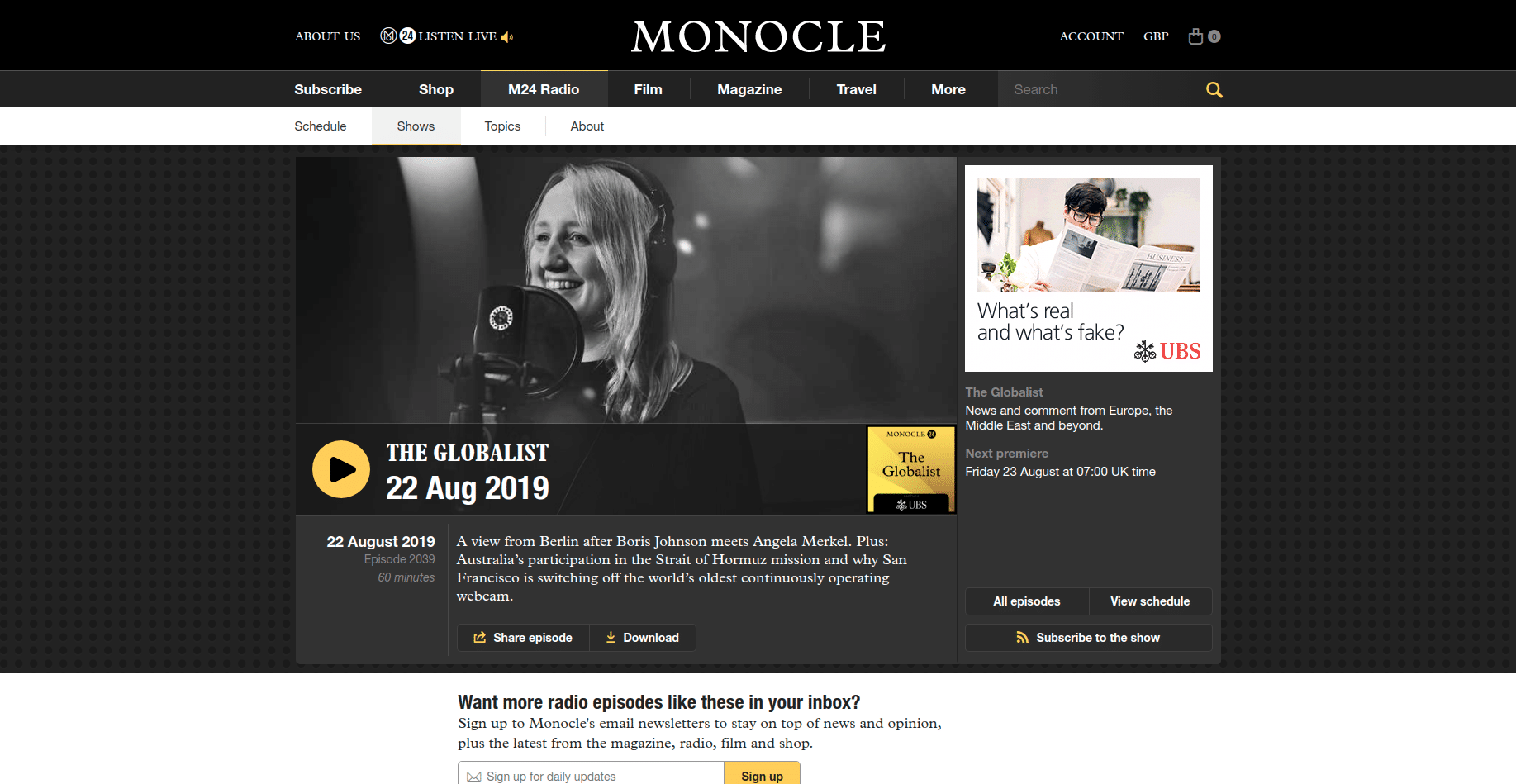
- Custom domain with your podcast show title.
- An aside: If you’re starting, think about whether you want a podcast title that’s descriptive and searchable, but unremarkable, or something more unique, a distinct brand that won’t be so searchable, but would stand out more in search results.
- About page with information about the show topics and the host.
- An episodes page listing all your published episodes.
- A post for each episode in the show.
- Contact page with a contact form to facilitate feedback and tips from users.
- Podcast app badges/buttons to facilitate subscribing to your podcast on the user’s preferred app.
- RSS feed, which is a requirement in every podcast app and directory. A link to that feed in your HTML is also required by Google.
- Social links to facilitate following your show in social media.
- A form to capture newsletter subscribers to let them know when new episodes are published.
Key elements for a podcast episode page
Title
The title of the podcast is key to discoverability in search engines and podcast apps. Your title should be:- Compelling and interesting
- Clear and descriptive
- Clean, with the right amount of keywords
- Your guest’s name, if you have one on the show
- Add a subtitle to explain what your show is about
Subscribe button
If the person reaching your episode page does one action, it should be this one. Include buttons to subscribe to the main podcast platforms: Apple Podcast, Spotify and Google Podcasts or Stitcher. If you know your audience uses another app, maybe a local Apple Podcasts competitor, then add that too. Add the buttons above the fold.Audio
Of course, include an audio player for users to listen to your work. This should also be above the fold. It should be one of the first things people see when arriving at your episode page. Not only this is the key content you want to present your users, but if they listen to your podcast on your website, that would increase dwell time on your episode pages. Dwell time is a positive ranking signal.Episode description or recap
Provide the reader with a summary of the episode. The objective of the summary is to get the reader to perform an action: play the episode and/or subscribe to your podcast. But it’s also an opportunity to tell the search engines what your episode is about and the key topics it covers.Metadata
As with any other piece of content on the web, a well-crafted and compelling headline and meta-description will help users decide to click on your site on a search results page, increasing your CTR and thus sending a positive ranking signal back to the search engine.Transcription of the episode.
This is one of the most critical parts for on-page optimization of episode pages. Having a transcription improves the discoverability of the episode, as you provide Google and other search engines with a keyword-rich, well-structured text to crawl and index. It also increases the accessibility of your content. If you wanted to, you could provide timestamps for each section of your podcast episode, if you have more than one section, to help users navigate your audio. If your podcast is scripted, this is easier, as you have already a script ready to upload. If it’s a conversational podcast, you can use an automated transcription service like Otter, Temi or Trint, but make sure to edit the transcription to make it more readable and structured. You can also use human-powered services like Rev or GoTranscript, which are more expensive, but produce better results out of the box.Key takeaways with timestamps
Besides the transcript, you could also add a section with the key takeaways, the most memorable quotes and the most important points you want to highlight. You should add timestamps for each takeaway. If you can add links to those segments in the audio of your podcast, much better, as that would greatly improve the user experience. These takeaways are also your most shareable content. Make it easy for people to share this content on their social profiles.Episode art and images
Supporting images on your episode can be used to support your on-page optimization by using alt text on images. They can also be used to promote your show on social networks like Pinterest. Use them throughout the episode transcript, but try not to use hero images. The main focus above the fold should be the audio player and the subscription buttons.Links to sources
At the bottom, add links to all the sources, tools, websites, people or companies mentioned in the episode.Related episodes
The related episodes section has two objectives. For the user, we want to capture their attention and keep them on the website. For search engines, we want them to understand better the structure of the web, and group similar content by topic by linking episodes together, which is more meaningful than sequential linking.
Keyword research for podcast SEO
Before starting to produce an episode for your podcast, you should validate your podcast idea:- Look for existing related content to validate that there are an audience and interest for your idea.
- Search in podcast apps and directories for other podcast episodes on the topic.
- Think about whether you can improve the quality of existing podcasts or provide a different angle.
- Looking at your analytics data to see if there is search traffic from any keywords related to the topic you chose. This can give you ideas for potential keywords you’re already ranking for. But beware of targeting those same keywords as you could end up with content cannibalization.
- Investigate the keywords your competitors are ranking for. If you don’t know your competitors, just do a Google search and see who’s ranking for that keyword. You’d need a specialized keyword research tool to see the other keywords your competitors are ranking for. But you could use some free tools like Wordstream for basic research.
- Use keyword research tools to come up with more keyword ideas. These tools work by using your seed keyword to generate keyword ideas and variations. Most tools scrap Google auto-suggest, similar searches and Google Keyword Planner. Other tools have their own keyword database and can provide advanced topic clustering.
- You can use a topic modelling tool like LSI Graph to generate keywords that are semantically related to your seed keyword. This won’t be variations from your seed keyword, but phrases and keywords which have a similar meaning to your seed keyword. For example, if you start with a seed keyword phrase like “adventures for kids in the summer”, a semantic search will return other keywords like “what to do with kids this summer”, “fun summer adventures” or “summer bucket list”.
- Search volume: How many people use this keyword per month.
- Clicks and click-through rate. How many people click on a search result. There may be searches which trigger certain SERP features that may answer the initial query. One of these SERP features is to present podcast episodes directly in Google’s search result page. We’ll see that later.
- Competition: How many other pages are competing to rank for that keyword and how difficult it would be to rank in the top positions.
- You need to verify that the keywords you will end up targeting are consistent with the initial topic you wanted for the episode. It may be that in your keyword research phase you collected keywords that drifted too far away from the initial seed to be considered a different topic, or a subtopic that may warrant an episode of its own.
- The other thing to look for is search intent. For example, a generic keyword like “summer” has different search intents. You may look for summer pictures, for information about summer, when it starts, when it ends, or for songs with summer in the title. The intent is varied, and that’s reflected in the SERP. Other keywords like “action camera” probably carry a transactional intent: people are looking to buy something. You need to focus on keywords with informational intent: people looking for content or information around a given topic.
How audio is featured in Google Search
In August 2019 Google unveiled a new SERP feature that lets you play podcast episodes right from the search result pages.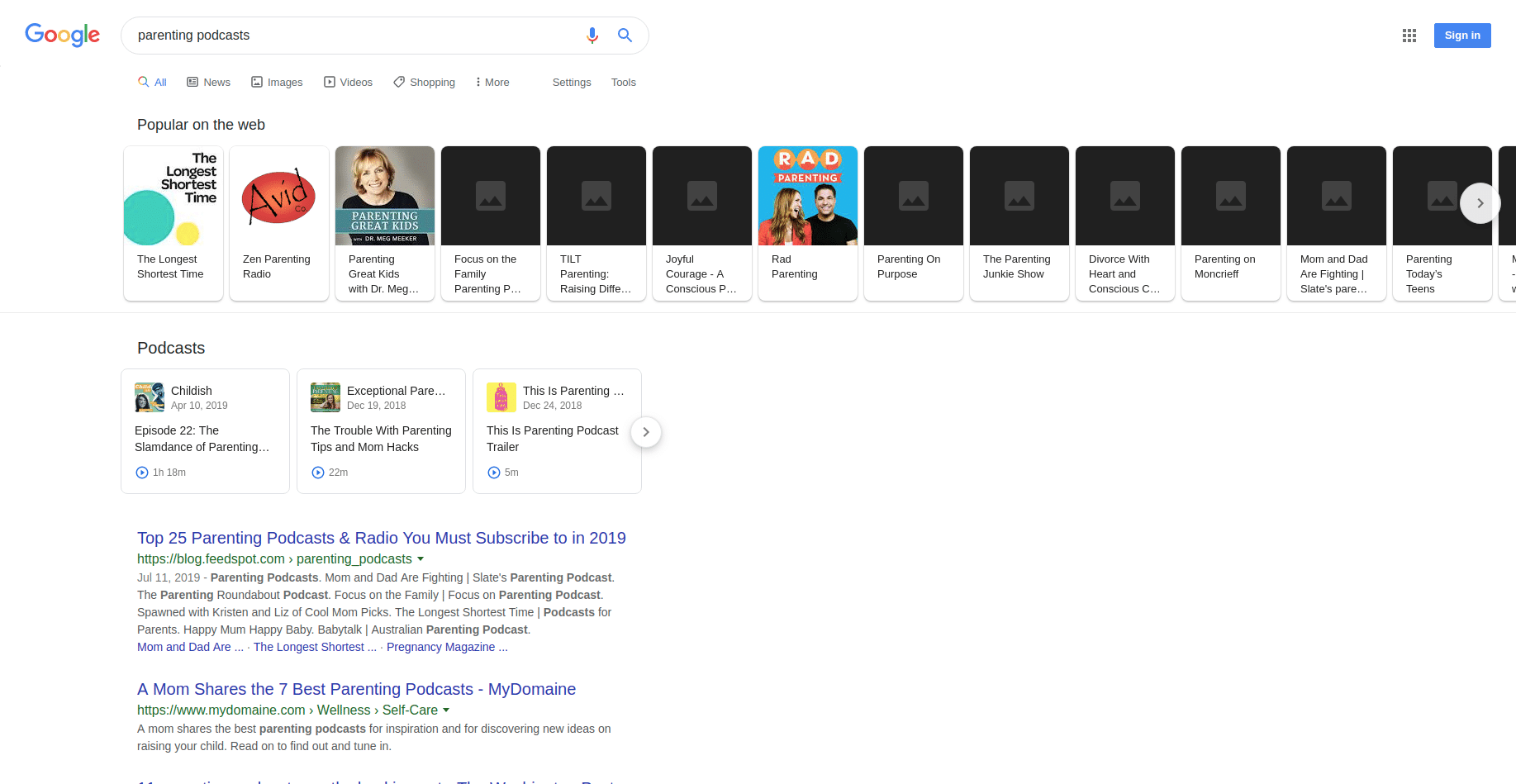 As of now, this feature is triggered when the search query includes the word “podcast”. For example: “parenting podcasts”. This means you have to consider that when researching the keywords to use in your episode page. In the future, Google will present the feature for searches without the word podcast as well.
Google selects the podcast episodes to show on this feature based on what’s being talked about in the podcast. Google’s ability to index audio is something that has been in the works since 2008, but as of now, it’s not something you can rely on to rank your content. That’s why transcripts are so important for SEO, as they make it easier for search engines to know what your podcast episode is about.
This feature will also be available for Google Assistant, so you could ask the assistant to play podcast episodes around a given topic.
As of now, this feature is triggered when the search query includes the word “podcast”. For example: “parenting podcasts”. This means you have to consider that when researching the keywords to use in your episode page. In the future, Google will present the feature for searches without the word podcast as well.
Google selects the podcast episodes to show on this feature based on what’s being talked about in the podcast. Google’s ability to index audio is something that has been in the works since 2008, but as of now, it’s not something you can rely on to rank your content. That’s why transcripts are so important for SEO, as they make it easier for search engines to know what your podcast episode is about.
This feature will also be available for Google Assistant, so you could ask the assistant to play podcast episodes around a given topic.