Publisher growth tactics for election season | WEBINAR

Learn More

SODP

SODP Media

  • Education
    • Articles
      • Audience Development
      • Content Strategy
      • Digital Publishing
      • Monetization
      • SEO
      • Digital Platforms & Tools
    • Opinion
    • Podcast
    • Events
      • SODP Dinner Event London 2025
      • SODP Dinner Event Dubai 2025
      • SODP Dinner Event California 2025
      • All Events
  • Top Tools & Reviews
  • Research & Resources
  • Community
    • Slack Channel
    • Newsletter
  • About
    • About Us
    • Contact Us
    • Editorial Policy
  • English
sodp logo
SODP logo
Search
Close this search box.
Login
  • Education
    • Podcast
    • Articles
      • Audience Development
      • Content Strategy
      • Digital Publishing
      • Monetization
      • SEO
      • Digital Platforms & Tools
      • Articles
      • Opinion
      • Podcasts
      • Events
      • Audience Development
      • Content Strategy
      • Digital Publishing
      • Monetization
      • SEO
      • Digital Platforms & Tools
      • Dinner Event California 2025
      • PUBTECH2025
      • View All
  • Top Tools & Reviews
      • Headless CMS Platforms
      • Digital Publishing Platforms
      • Editorial Calendar Software
      • Magazine Apps
      • Email Newsletter Platforms
      • More Best Tools Lists
      • Reviews
  • Research & Resources
  • Community
    • Slack Channel
    • Office Hours
    • Newsletter
      • Slack Channel
      • Newsletter
  • About
    • About Us
    • Contact Us
    • Editorial Policy
      • About Us
      • Contact Us
      • Editorial Policy
placeholder
SODP logo
Become a Brand Partner
Home ▸ Digital Platforms & Tools ▸ 11 Best AI Transcription Tools in 2024

11 Best AI Transcription Tools in 2024

  • Kamalpreet Singh Kamalpreet Singh
December 4, 2023
Fact checked by Andrew Kemp
Andrew Kemp
Andrew Kemp

Andrew joined the State of Digital Publishing team in 2021, bringing with him more than a decade and a half of editorial experience in B2B publishing. His career has spanned the technology, natural resources, financ… Read more

Edited by Andrew Kemp
Andrew Kemp
Andrew Kemp

Andrew joined the State of Digital Publishing team in 2021, bringing with him more than a decade and a half of editorial experience in B2B publishing. His career has spanned the technology, natural resources, financ…Read more

Best AI Transcription Tools

Top Picks

Disclaimer: Our top picks are based on our editors’ independent research, analysis, and/or hands-on testing. Editorial policy

NoTag
beey-logo
Beey.io
See more
Read review
NoTag
MeetGeek-logo
MeetGeek
See more
Read review
NoTag
Notta
Notta
See more
Read review
NoTag
Otter
Otter.ai
See more
Read review
NoTag
Rev
Rev
See more
Read review
NoTag
Scribie
Scribie
See more
Read review
NoTag
Sonix
Sonix
See more
Read review
NoTag
Speak
Speak.Ai
See more
Read review
NoTag
taption logo
Taption
See more
Read review
NoTag
Transkriptor
Transkriptor
See more
Read review
NoTag
Trint
Trint
See more
Read review
Skip to overview of solutions

Want to Maximize Your Visibility?

  • Reach valuable industry professionals
  • Promote key products & content
  • Drive cost effective & measurable results
Read More

Category Partner

Artificial intelligence (AI) transcription tools offer many industries, including digital publishing, the means to quickly and accurately convert audio and video files into text.

The need for transcription services has been around almost as long as the first portable audio recording devices began appearing. And the publishing sector isn’t the only service-based industry that has needed voice-based recordings transcribed.

The US transcription industry was valued at $25.98 billion in 2022. While the industry was built on the back of human transcribers, the process was slow, costly and prone to human errors. The advent of AI, however, means it’s now possible to transcribe large volumes of audiovisual content within a matter of minutes with surprising accuracy, and at a fraction of the cost.

Join us as we look at the best AI transcription tools to streamline workflows, enhance content accessibility and boost productivity.

What Is AI Transcription?

AI transcription is the act of using AI-based tools to transcribe audio or audiovisual inputs to text. Users upload their audio or video files to a tool that can convert the file’s contents to text.

While it might take a human transcriber several hours to convert an hour of audio to text, AI transcription tools can complete the process  in minutes. These tools can also convert audio to text in real time.

AI transcription tools achieve this by leveraging a technology known as automatic speech recognition (ASR). Put very simply, ASR works in a two-step process:

  1. Converting the analog signals or waveforms that make up human voice into digital signals.
  2. Applying natural language processing (NLP) and AI to analyze these signals and determine whole words and sentences.

The entire process happens quickly, resulting in real-time transcription of streaming audio, and conversion of large audio files to text within minutes.

AI Transcription Use Cases

While the medical and legal professions have traditionally been the heaviest users of professional transcription services, the advent of AI has made speech-to-text possible for a wide range of industries and services.

Some of these include:

Online Education

AI transcription software can not only transcribe live lectures and interactive sessions to text, it also helps to store and organize that text just like physical notes. For instance, the software can highlight the most important parts of a discussion or lecture, allowing students to revisit key sections later.

Business Meetings

AI transcription tools, when leveraged for business meetings, can actually help cut down on the number of business meetings employees need to attend. This is because, in addition to meeting transcripts and recordings, the tools can provide summaries and insights that can be shared across the organization immediately after a call ends. 

These tools are also capable of integrating with commonly used communication channels such as Slack to ensure everybody is in sync. They can further integrate with task management tools such as Notion so that voice commands or tasks defined during the meeting are automatically delegated to the person responsible. The result is faster and more efficient knowledge sharing, leading to fewer meetings.

Qualitative Research

Several AI transcription tools provide advanced data analysis and visualization capabilities that allow transcribed text to be understood and shared in ways that are important for researchers. 

For instance, word clouds are a visualization technique that some of the tools on our list offer. With a word cloud, researchers can visualize which keywords in a given audio or video recording are the most important, measured by the frequency of their occurrence. This in turn allows them to uncover important insights from their collected data.

How to Choose the Best AI Transcription Tool

There are several AI transcription services available in the market today, meaning choosing the right tool boils down to evaluating it based on several criteria. These include:

  • Accuracy: AI transcription tools’ accuracy is usually gauged using a metric called word error rate (WER). It measures the number of errors in the transcribed text as compared to the input audio. Good AI transcription tools have a WER of between 5-10%, which implies that they can accurately transcribe up to 90-95% of the audio they receive as input. In fact, a study conducted in 2021 found that even the best tools in the market deliver an accuracy of slightly less than 90%. In general, it is safe to say that a WER of 30% and above is considered poor.
  • Turnaround time:  Turnaround time is the time taken by the tool to convert the audio files it received as input into accurate text. This time varies greatly across tools. Some tools can churn out text within a couple of minutes, while others may take much longer.
  • Supported languages: Depending on their niche and the geographies they operate in, businesses may need to ensure that the tool they choose provides support for different languages.
  • Cost: Different tools may come at different prices and pricing models, such as pay-as-you-go or monthly/annual subscriptions. It’s important for users to understand the complete list of features being offered for the price quoted, and compare these with the competition before making a purchase decision.

Top 11 AI Transcription Tools

Please note that because these are not deep-dive reviews, we’ve listed the following platforms alphabetically rather than in order of preference.

1

Beey.io

Beey.io

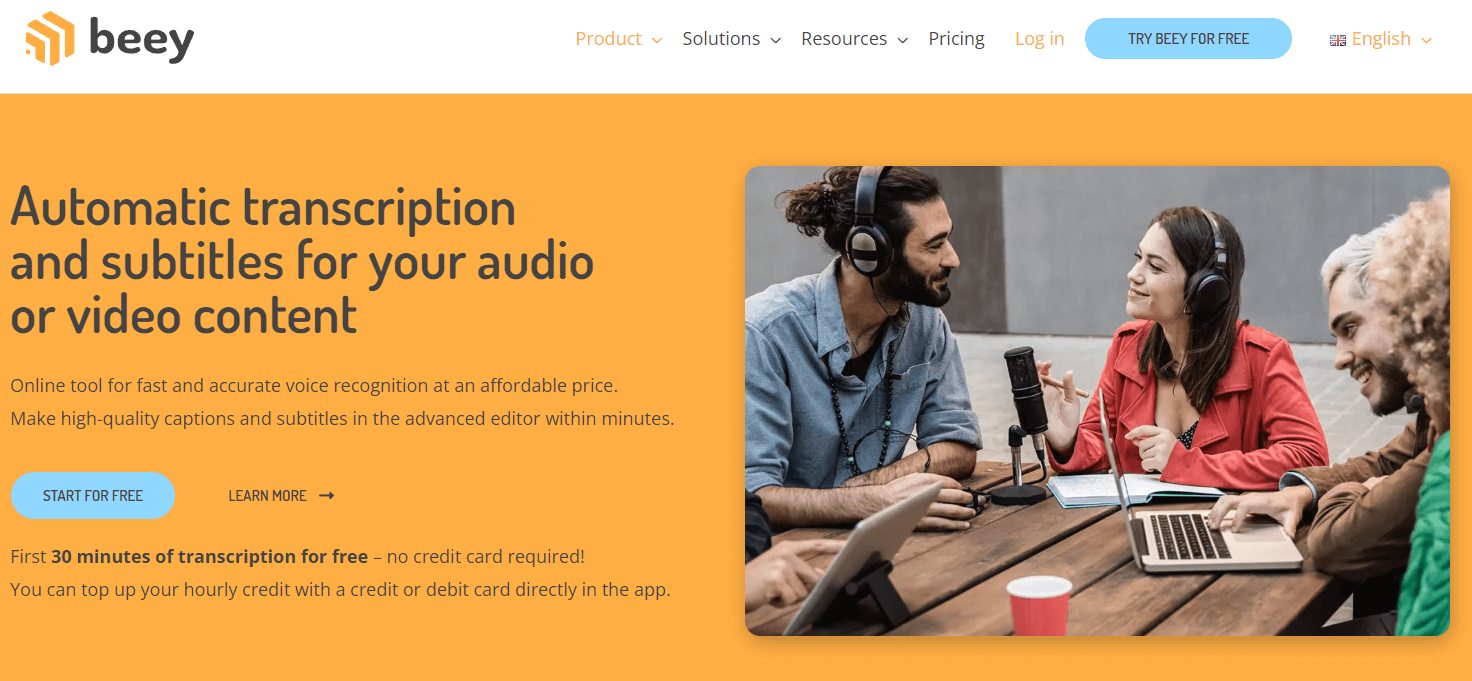
Beey is widely considered to be one of best AI transcription tools owing to its budget-friendliness and excellent customer service.

The platform supports all major audio and video formats including MP4, MP3, WAV, AAC (MP4 audio), VORBIS and OPUS. While Beey does allow for live transcription of audio, this feature is still in beta mode, so there may be some unpredictability with the results. 

Beey also cautions its users that its results are dependent on the quality of recorded audio. Disturbances such as background noise can also impact its quality. 

On the whole, Beey claims a modest 90% accuracy for its AI transcription tool, which seems both realistic and honest. It was also in line with the results we found when we tested the app.

A screenshot of Beey transcribing a YouTube video

A screenshot of Beey transcribing a YouTube video. Source: Beey

Beey has two pricing tiers:

  • Standard: 7.50 euros (~$8.20) per hour of transcription
  • Enterprise: Custom pricing

For users looking for a free version, Beey offers free transcription for the first 30 minutes. This makes Beey one of the most economical tools on the list.

Beey.io

Features

  • Supports all major audio and video formats
  • Easy API integration
  • Interactive waveform preview for subtitle creation and editing

Pros

  • Capable of transcribing up to six hours of recorded audio/video
  • Budget-friendly

Cons

  • Only supports 20 European languages
  • Not capable of transcribing multi-language recordings
  • Most of its advanced features are reserved for the enterprise version
2

MeetGeek

MeetGeek

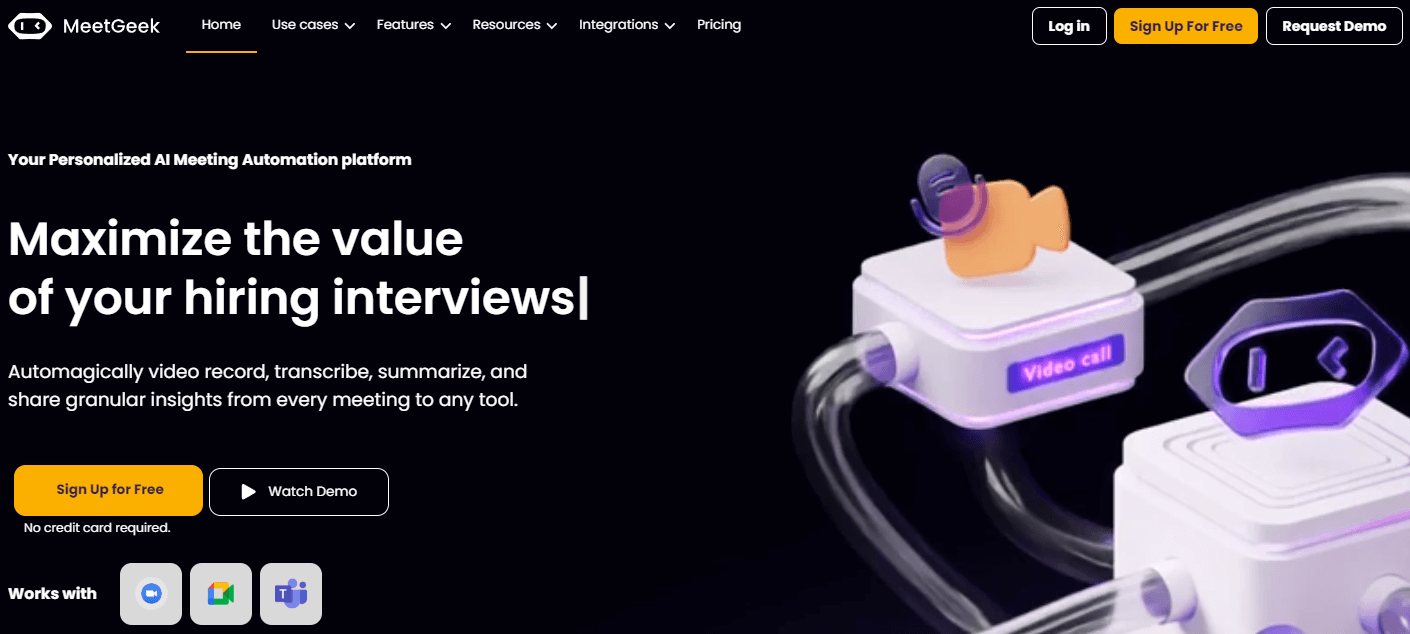
Meetgeek is one of the most popular AI transcription tools with over 10,000 teams across the world using it.

One of its strongest points is its ability to provide detailed analytics for each meeting, as well for a set of meetings over time. Users can see metrics such as meeting engagement, burnout and more. 

A useful Meetgeek feature, especially for businesses is its ability to allow for custom branding of meeting videos and transcriptions with company logo and colors. The tool also allows managers to control views and layouts, so that different elements from a meeting page are visible only to a predefined audience, such as customers or only certain employees.

Meetgeek integrates with all major workflow tools such as Slack, Gdrive, Trello, and with more than 2,000 apps through Zapier.

A screenshot of Meetgeek transcribing an uploaded audio file. On the right hand side, it also displays highlights in real time

A screenshot of Meetgeek transcribing an uploaded audio file. On the right hand side, it also displays highlights in real time. Source: Meetgeek

The tool has four pricing plans:

  • Free: allows five hours of transcription per month with limited features
  • Pro: $13.30 per month (billed monthly), $10.50 per month (billed annually)
  • Business: $27.30 per month (billed monthly), $20.30 per month (billed annually)
  • Enterprise: starts from $59 per month 

For businesses unsure of whether or not to invest in a paid tool, Meetgeek also provides a handy ROI calculator that allows businesses to estimate just how much they can expect to save by using it.

MeetGeek

Features

  • Custom branding of meeting videos and transcriptions
  • Detailed meeting analytics
  • Set different layouts depending on the audience
  • Integrates with all major workflow tools

Pros

  • Free version allows up to five hours of transcription per month
  • Extensive library of third-party integrations

Cons

  • Transcription supported in only 20 languages, with high accuracy limited to English, Spanish and Portuguese
  • Doesn’t allow transcription from external URLs such as YouTube videos
3

Notta

Notta

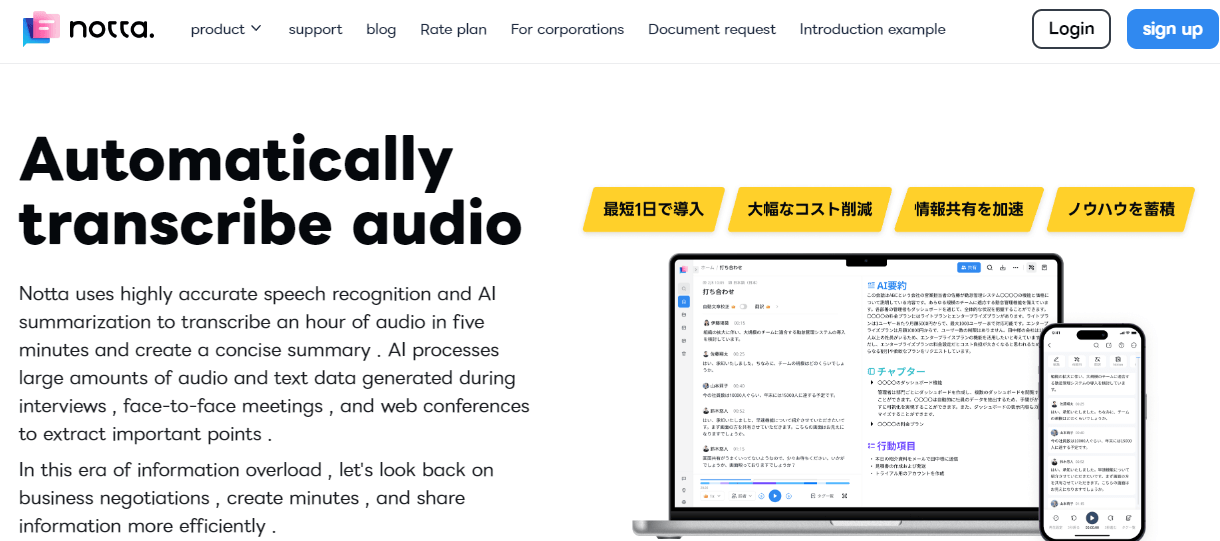
Notta is a Japanese AI transcription tool that can transcribe an hour of audio in five minutes along with a concise summary. The company’s roster of clients boasts of impressive names including PricewaterhouseCoopers (PwC), Salesforce and Grammarly. 

Notta provides a high degree of organizational control, allowing access restriction by IP address while giving users the ability to set external sharing limits. It’s also capable of capturing screen recordings, besides transcribing audio/video and generating summaries.

Notta’s Japanese pedigree is conspicuous on its website, with some content only appearing in Japanese even on its English-language site. This makes navigation for non-Japanese speakers a little tricky. Pricing plans are also listed in Japanese yen, instead of currencies more familiar to western customers such as the US dollar or the euro.

Notta offers four pricing plans:

  • Free: 120 minutes per user per month
  • Premium: 1,200 yen (~$8) per month 
  • Business: 6,210 yen (~$42) per month 
  • Enterprise: Custom pricing

Its pricing makes Notta one of the most budget-friendly options on this list.

Notta

Features

  • Provides screen recordings
  • Access restriction by IP address
  • Set external sharing limits

Pros

  • Easy and secure file shareability capability
  • Support for more than 100 languages
  • Budget-friendly

Cons

  • Slow customer support
4

Otter.ai

Otter.ai

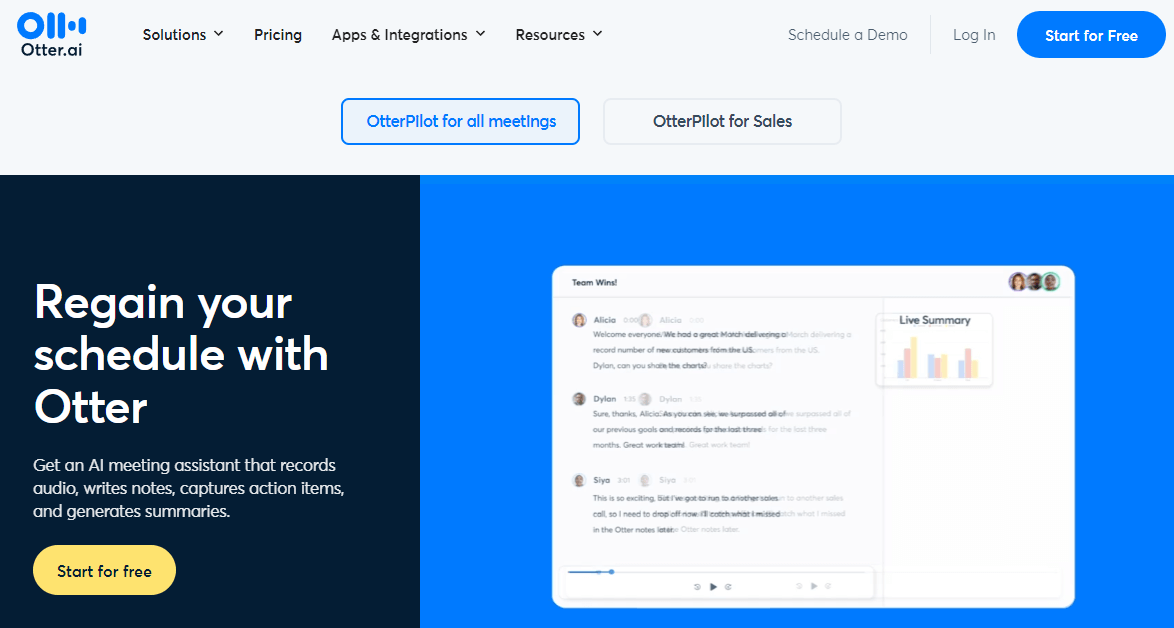
Otter is a tool designed to make the most out of live meetings, be they sales calls or online classes.

For instance, OtterPilot for Sales, Otter’s specialized sales tool, automatically extracts sales insights from recordings, generates follow up emails and pushes call notes to Salesforce. 

Another interesting Otter feature is its Slack app. While most other tools covered in the list come with the standard Android and iOS apps along with Chrome extensions, Otter also comes with a Slack app that shares real time updates from live meetings into the team Slack channel, ensuring everyone is in the loop. 

Otter also connects easily with Dropbox so that any audio or video dropped into the Otter app folder in Dropbox gets automatically transcribed and synced with Otter.

A screenshot of Otter transcribing an entire episode of the TV show Veep

A screenshot of Otter transcribing an entire episode of the TV show Veep. Source: Otter

Otter offers four pricing plans:

  • Free: 300 monthly transcription minutes allowed
  • Pro: $16.99 per month (billed monthly), $10 per month (billed annually)
  • Business: $35 per month (billed monthly), $20 per month (billed annually)
  • Enterprise: Custom pricing
Otter.ai

Features

  • Capable of capturing slides and summarizing them
  • Easy tagging capabilities for assigning action items
  • Slack app

Pros

  • Comes with a free version
  • Simple and easy-to-use interface
  • Easy integration with most apps

Cons

  • Lacks the capability to edit recordings
  • The free version won’t transcribe URL-based videos, such as YouTube videos
5

Rev

Rev

Rev is different from many of the other entries reviewed here, in that it offers both human and AI-powered transcription.

In addition to its AI-powered tool, it has a team of professionals who transcribe audio or video into searchable text in under 12 hours. This is of great help in cases where the recorded audio quality is too poor for AI to process, or where users want the highest level of accuracy. 

Its AI-powered transcription service is available at cheaper rates and faster turnaround times. Rev guarantees a more than 90% accuracy for this service, which seems to be in line with industry standards.

Rev comes with a bucket of free apps and tools including a voice recorder app, an in-browser audio cutter and trimmer tool and an audio transcription app. It also allows for both open and closed captioning that captures not just speech in a video but also sound effects, atmospherics and musical cues

Rev’s pricing plans are based on the service a user needs.

  • AI Transcription: starts from $0.25 per minute
  • Human Transcription: starts from $1.50 per minute
Rev

Features

  • Comes with a bucket of free apps and tools
  • Live captioning for Zoom calls
  • Both open and closed captioning
  • Global subtitle translator allows for subtitles to be translated to over 15 languages.

Pros

  • Easy-to-use interface
  • Flexibility of opting for either a human or an AI transcription
  • Fast turnaround times

Cons

  • Not very reliable in distinguishing accents
6

Scribie

Scribie

Scribie is different from all the other entries in this list in that it doesn’t offer a pure AI-based transcription tool, but rather a human verified AI-transcription service.

Scribie candidly acknowledges the limitations of AI-based transcription, and follows a two-step transcription process. Its human transcribers are first provided with an automated transcript prepared by an AI tool, which they then have to verify and correct to greater than 99% accuracy. 

Scribie has a pool of more than 50,000 transcribers spread out across time zones to ensure timely delivery of transcripts to its customers, though it doesn’t make any promises when it comes to delivery times.Scribie has a flat rate of $1.25 per minute with a 24 hour turnaround time and guarantees a 99% accuracy rate, which is the highest on the list.

Scribie

Features

  • Speaker tracking
  • Support for all open source audio and video files
  • Optional burnt-in time coding (BITC)
  • Accurate subtitling

Pros

  • Highest level of guaranteed accuracy
  • Budget-friendly compared to other human transcription services

Cons

  • Slow compared to pure AI tools
  • Incapable of transcribing live audio
  • Only supports English
7

Sonix

Sonix

Sonix is a tool that claims many firsts for itself. It claims to be the world’s first audio word processor, allowing text to be edited within a web browser. It also claims to have the world’s first “SEO-friendly media player”, although in practice this translates to generating a text version of an audio or video file — a functionality that every AI transcription tool possesses today.

Sonix is capable of transcribing content with a 95-97% accuracy, which is higher than most other tools. It supports almost all major video conferencing tools including Zoom, Google Meets, Loom, Skype, and Microsoft Teams.

A screenshot of Sonix transcribing a YouTube video

A screenshot of Sonix transcribing a YouTube video. Source: Sonix

Sonix has three pricing plans: 

  • Standard: $10 per hour  
  • Premium: $5 per hour plus a $22 per user per month subscription
  • Enterprise: Custom

Sonix doesn’t offer a free version, but does have a trial version with 30 minutes of free transcription. Signing up for the trial version, however, requires users to provide their credit card details.

Sonix

Features

  • In-browser transcript editor
  • Support for more than 40 languages
  • Enterprise-grade security

Pros

  • Easy to navigate platform
  • Supports almost all major video conferencing tools

Cons

  • No free version, trial offers 30 minutes of free transcription
  • Can have compatibility issues with browsers other than Chrome
8

Speak.Ai

Speak.Ai

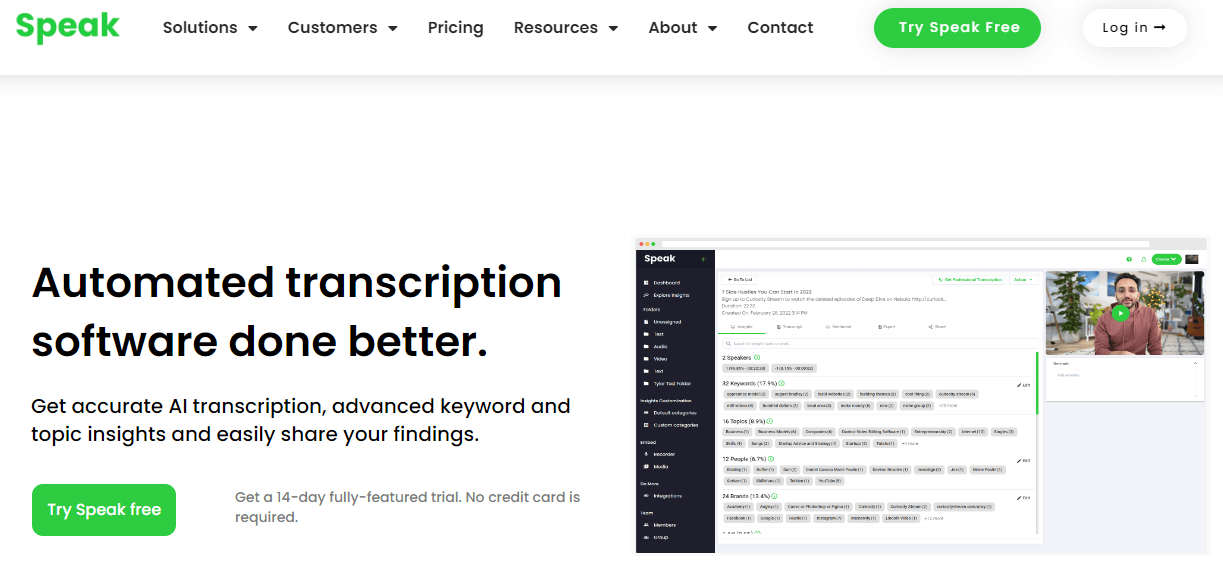
Speak is a transcription tool that specializes in helping qualitative researchers and marketers derive better insights from their data.

To this end, it provides users with powerful data visualization capabilities that enable users to see the output of their transcribed recordings in multiple visual and shareable forms such as word clouds, charts and custom reports. Speak promises to do all this with an accuracy of over 95% for its AI-based tool. 

For researchers who need even greater accuracy, or even more detailed insights and analysis, Speak also provides transcription by human experts delivered within 48 hours with a 99% accuracy.

Speak is also capable of named entity recognition, allowing for efficient extraction and categorization of the most important insights from the transcription, including keywords and trends.

When it comes to security, Speak is among the most secure tools on the market, with capabilities such as PII (personally identifiable information) redaction that allows users to mask or remove sensitive content, and HIPAA compliance.

A screenshot of Speak transcribing a YouTube video of Gary Neville interviewing David Beckham

A screenshot of Speak transcribing a YouTube video of Gary Neville interviewing David Beckham. Source: Speak.ai

Speak has two pricing plans:

  • Starter: $71 per month (billed monthly), $57 per month (billed annually)
  • Custom: Custom pricing
Speak.Ai

Features

  • Named entity recognition
  • AI meeting assistant
  • Capable of sentient analysis of audio/video files
  • Can be trained to build industry-specific custom vocabulary

Pros

  • Powerful data visualization capabilities
  • Advanced security features

Cons

  • No free plan, 14-day trial offers 30 minutes of free transcription
9

Taption

taption

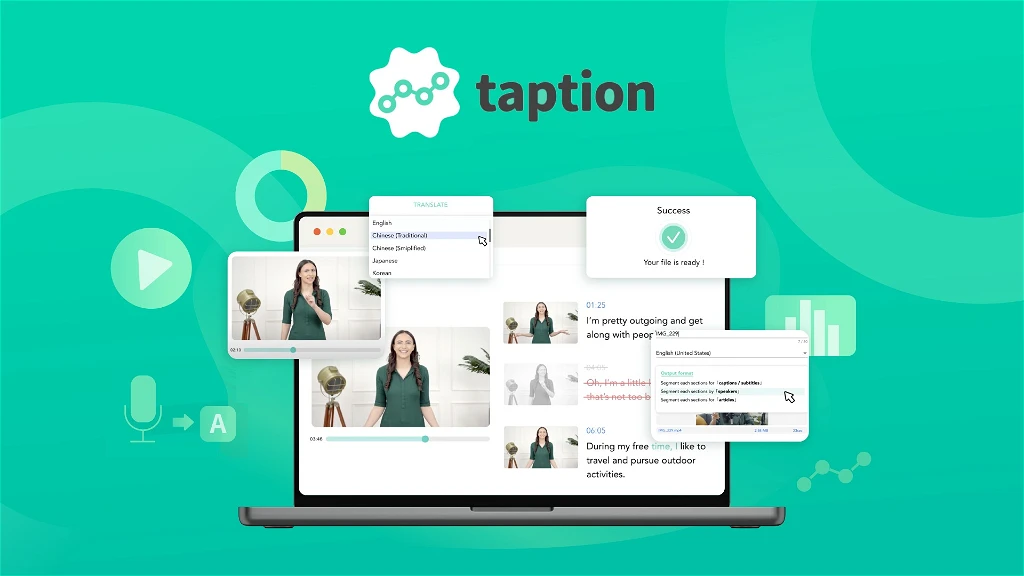
Taption is a transcription tool that prides itself on its high degree of accuracy and lightning fast transcription speed. 

During our tests we found that Taption transcribes audio up to an accuracy of well over 90%. However, when it comes to speed, Taption is well ahead of the competition. It transcribed a 20-minute YouTube video we fed it in under 2 minutes, complete with speaker labeling.

Another advantage Taption has over its competitors is its high level of transcription accuracy when it comes to the Chinese, Japanese, and Korean or CJK languages, where most other tools struggle to generate accurate transcriptions.

Taption has three pricing plans:

  • Standard: This plan allows all users who sign up 15 minutes of free transcription. Additional minutes are charged at $8 per hour with a maximum file upload limit of 2 GB.
  • Premium: This plan costs $10.8 per month (billed annually) and $12 per month (billed monthly). It comes with 120 free monthly minutes of usage, with additional minutes at $6 per hour
  • Bulk: This plan costs $62.1 per month (billed annually) and $69 per month (billed monthly). It comes with 1,000 free monthly minutes of usage, with additional minutes at $3 per hour
Taption

Features

  • Generates AI-based analysis and summary of transcribed videos
  • Ability to transcribe multiple files at once
  • Ability to edit a video by editing the text
  • Allows transcripts to be exported in custom formats such as XML
  • Supports over 40 languages for speech-to-text transcription and over 50 languages for translating transcribed text

Pros

  • One of the fastest transcription tools out there
  • Reasonably priced
  • Very high degree of accuracy for CJK languages
  • Clean and simple UI

Cons

  • Integrates with only a select few apps
10

Transkriptor

Transkriptor

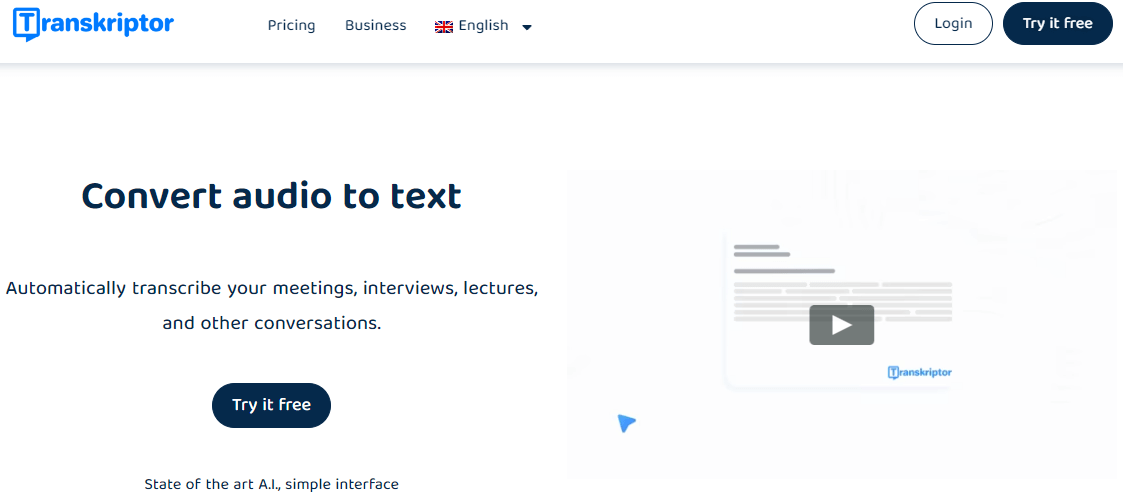
Transkriptor is a versatile tool that comes in Android and iOS apps, a Google Chrome extension for desktop users and a web page service. It allows users to access three services with a single subscription — text to speech, speech to text and an AI-powered writing assistant

Transkriptor claims to be capable of 99% accuracy, although it is hard to determine how reliable that claim is, given that the best results for pure AI speech-to-text transcription rarely go past 97%.

When it comes to transcription speed, the app claims to transcribe audio in about half the time of the file. What this means in practice is that it can transcribe a 20-minute audio file in roughly 10 minutes.

In this case, we found that Transkriptor exceeded user expectations, managing to transcribe a 12 minute YouTube file in about 4 minutes.

A screenshot of Transkriptor transcribing a YouTube video by speaker

A screenshot of Transkriptor transcribing a YouTube video by speaker. Source: Transkription

Transkriptor has two pricing plans:

  • Lite: $9.99 per month (billed monthly), $4.99 per month (billed annually)
  • Premium: $24.99 (billed monthly), $12.49 per month (billed annually)
Transkriptor

Features

  • Chat-based AI assistant
  • Users can access three services with a single subscription
  • Allows for transcription of Google Drive, Dropbox and WhatsApp files

Pros

  • Transcribes more than 100 languages, the most of any tool in this list
  • High accuracy
  • Fast turnaround time

Cons

  • Editing text is cumbersome
  • It’s a relatively new and untested tool
  • Clunky interface
11

Trint

Trint

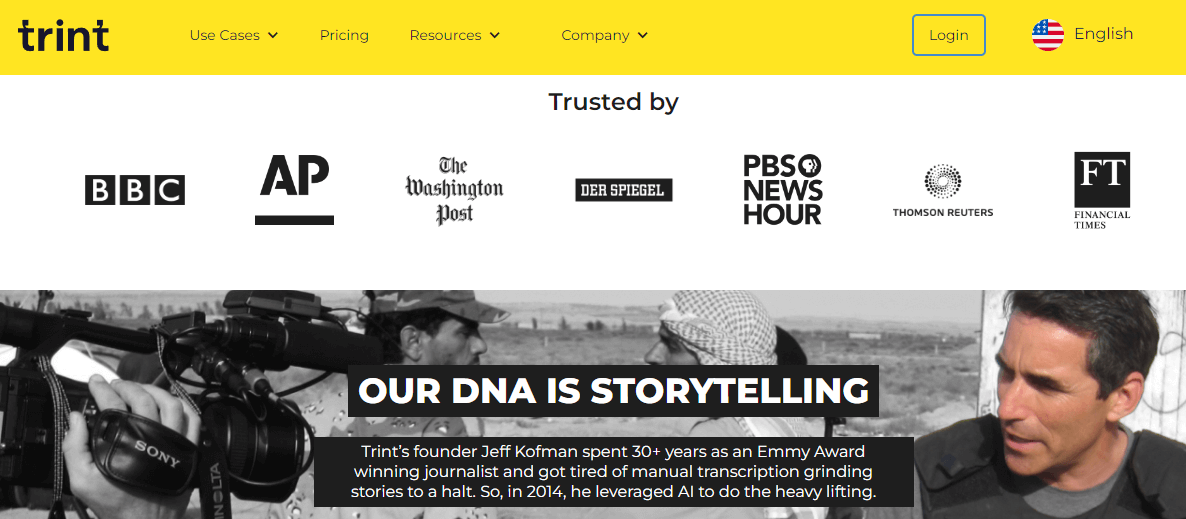
Trint is an AI transcription tool that has been designed for the media industry. It was founded in 2014 by Emmy Award winning war correspondent Jeff Koffman who wanted to go past the limitations of manual transcription.

Little wonder, then, that Trint claims an impressive roster of clients from the world of journalism, including BBC, Washington Post and Financial Times.

Trint allows users to search multiple transcripts to pull quotes for podcasts, articles, scripts and soundbites. This allows for the creation of more authentic stories and compelling narratives. Trint is also a highly collaborative tool allowing for sharing, commenting, and editing of content across teams, while providing the ability to implement strict access control over documents for security.

Trint’s has three pricing plans 

  • Starter: $60 per user per month (billed monthly), $48 per user per month (billed annually)
  • Advanced: $75 per user per month (billed annually), $60 per user per month (billed annually)
  • Enterprise: Custom pricing

Overall, Trint’s pricing makes it a slightly more expensive option compared to other entries on this list.

Trint

Features

  • Real-time collaboration with commenting and tagging capabilities
  • Granular access controls for better security and shareability
  • Seamless integration with other platforms

Pros

  • Support for more than 40 languages
  • Compliant with major data security and data privacy regulations

Cons

  • Expensive compared to some of its competitors

Final Thoughts

AI transcription tools are becoming more powerful, and all the tools on this list are capable of generating transcriptions with more than 90% accuracy within minutes. 

At the same time, we’ve also seen that for the highest accuracy levels, many businesses still prefer human transcriptions, assisted by AI. This indicates that there is still some way for AI technology to go before it completely replaces human input.

That said, AI transcription tools, when used under human supervision, can help businesses save enormously on time and costs. The tools covered in this list are applicable across a wide range of transcription scenarios, ranging from live business meetings to qualitative researchFor those looking for even more options, we’ve compiled a longer list of the 15 best transcription software that covers several other tools.


Related Posts

crm

9 Best CRM Solutions for Publishers in 2026

17 Best Media Monitoring Tools in 2023

14 Best Media Monitoring Tools in 2026

Best Email Newsletter Platforms for Publishers

8 Best Email Newsletter Platforms for Publishers in 2024

Person,Using,Calendar,On,Computer,To,Improve,Time,Management,,Plan

13 Editorial Calendar Software for Efficient Content Planning

SODP logo

State of Digital Publishing is creating a new publication and community for digital media and publishing professionals, in new media and technology.
  • Top tools
  • SEO for publishers
  • Privacy policy
  • Editorial policy
  • Sitemap
  • Search by company
Facebook X-twitter Slack Linkedin

STATE OF DIGITAL PUBLISHING – COPYRIGHT 2025